
Agentic AI is autonomous software that perceives, reasons, and acts in digital environments to achieve goals on behalf of human principals, and it's quickly moving from niche concept to mainstream operating model as the market is projected to grow from $2.9 billion in 2024 to $48.2 billion by 2030. In practice, that means AI is shifting from a content generator to a proactive doer that can plan work, use tools, and complete tasks with limited supervision.
If you're reading this now, you're probably in one of three situations. You have a stack of repetitive work that nobody wants to own, you've already experimented with chatbots and copilots but still need humans to push every step forward, or you're trying to figure out how to deploy autonomous agents without creating a governance mess.
That's where most explanations of agentic AI fall short. They describe the upside, then skip the hard part. Real deployments don't break because the model can't write text. They break because the agent touched the wrong system, ran in the wrong tenant, spent too much on tool calls, or left no audit trail when compliance asked what happened.
The practical question isn't only what is Agentic AI. It's whether you can trust it to operate inside real business systems, for real teams, across real boundaries.
Table of Contents
- Introduction Beyond Simple Chatbots
- What Exactly Is Agentic AI
- The Architecture of an AI Agent
- Agentic AI Use Cases in Action
- Deployment and Governance for AI Workforces
- Your Agentic AI Adoption Roadmap
- Conclusion Building Your First AI Employee
Introduction Beyond Simple Chatbots
Teams often aren't short on ideas. They're short on operational capacity.
A founder wants lead research done before breakfast. A support manager wants incoming tickets classified before the queue swells. An ops lead wants bug reports turned into structured Jira issues instead of getting buried in Slack. Chatbots help with drafts and summaries, but they still leave a person responsible for opening the next app, copying the next field, and deciding the next step.
That's the difference that matters. Agentic AI doesn't stop at generating an answer. It can take a goal, decide what actions are needed, and move through a workflow across tools.
The urgency around this shift isn't theoretical. The global Agentic AI market is projected to grow from $2.9 billion in 2024 to $48.2 billion by 2030, a projection that signals how fast the technology is moving from experiment to enterprise utility, according to DigitalDefynd's agentic AI market overview.
Why chatbots feel helpful but incomplete
A chatbot is usually reactive. You ask. It replies. You ask again. It replies again.
That interaction model works for brainstorming, drafting, and retrieval. It's weak for execution. The moment the task requires a sequence such as checking a CRM, pulling account details, updating a ticket, drafting a response, and escalating only if a rule is triggered, you need something closer to an operator than an assistant.
Most companies don't need more generated words. They need more completed work.
The real shift is operational
Agentic systems are useful because they reduce the number of handoffs in a process. That sounds simple, but it changes how teams design work. Instead of asking, “Can AI help this employee?” the better question becomes, “Can an agent own this outcome under defined rules?”
For founders, that can mean one highly effective workflow running reliably without extra headcount. For developers, it means building around tools, permissions, memory, and fallbacks instead of just prompts. For compliance officers, it means treating agents like digital workers with scoped access and traceable actions.
Those are deployment questions, not demo questions. That's where the actual work starts.
What Exactly Is Agentic AI
A precise definition that matters in practice
The cleanest definition comes from MIT Sloan researchers, who described AI agents as:
“autonomous software systems that perceive, reason, and act in digital environments to achieve goals on behalf of human principals”
That definition comes from MIT Sloan's explanation of agentic AI, and it matters because it draws a hard line between content generation and goal-directed action.
A useful mental model is this. Generative AI is like a very capable encyclopedia that can draft, explain, and summarize. Agentic AI is closer to a junior operator you can delegate a bounded task to. It still needs supervision, permissions, and clear instructions. But it can move through multiple steps instead of waiting for a new prompt after every action.
That ability usually depends on more than one component. The model may generate the reasoning, but the agent also needs memory, tool access, decision logic, and a way to recover when something fails.
Agentic AI vs generative AI
Here's the practical distinction teams should use when scoping work:
| Attribute | Generative AI (e.g., ChatGPT) | Agentic AI (e.g., Donely AI Employees) |
|---|---|---|
| Primary goal | Create content | Complete tasks toward a goal |
| Interaction style | Reactive to prompts | Proactive within defined rules |
| Autonomy | Limited, prompt-dependent | Can plan and execute multi-step actions |
| Tool use | Usually indirect or manual | Integrated with software and APIs |
| Outcome | A draft, answer, or artifact | A workflow step or completed result |
| Human role | Directs each turn | Sets objectives, approvals, and guardrails |
Practical rule: If the system's value ends at “here's what you should do next,” you're still in generative AI territory. If it can actually do the next step, you're moving into agentic AI.
A lot of confusion comes from treating every LLM workflow as agentic. It isn't. Adding a prompt wrapper around an LLM doesn't automatically create an agent. Agency shows up when the system can interpret context, choose from available actions, and carry work forward without being manually re-prompted at each turn.
That's also why governance matters so much. A system that can act is useful. A system that can act in the wrong environment is a liability.
The Architecture of an AI Agent
An agent is a system, not just a model
When people ask what is Agentic AI, they often picture a single model getting smarter. In production, that's the wrong mental model. An agent is a coordinated system.
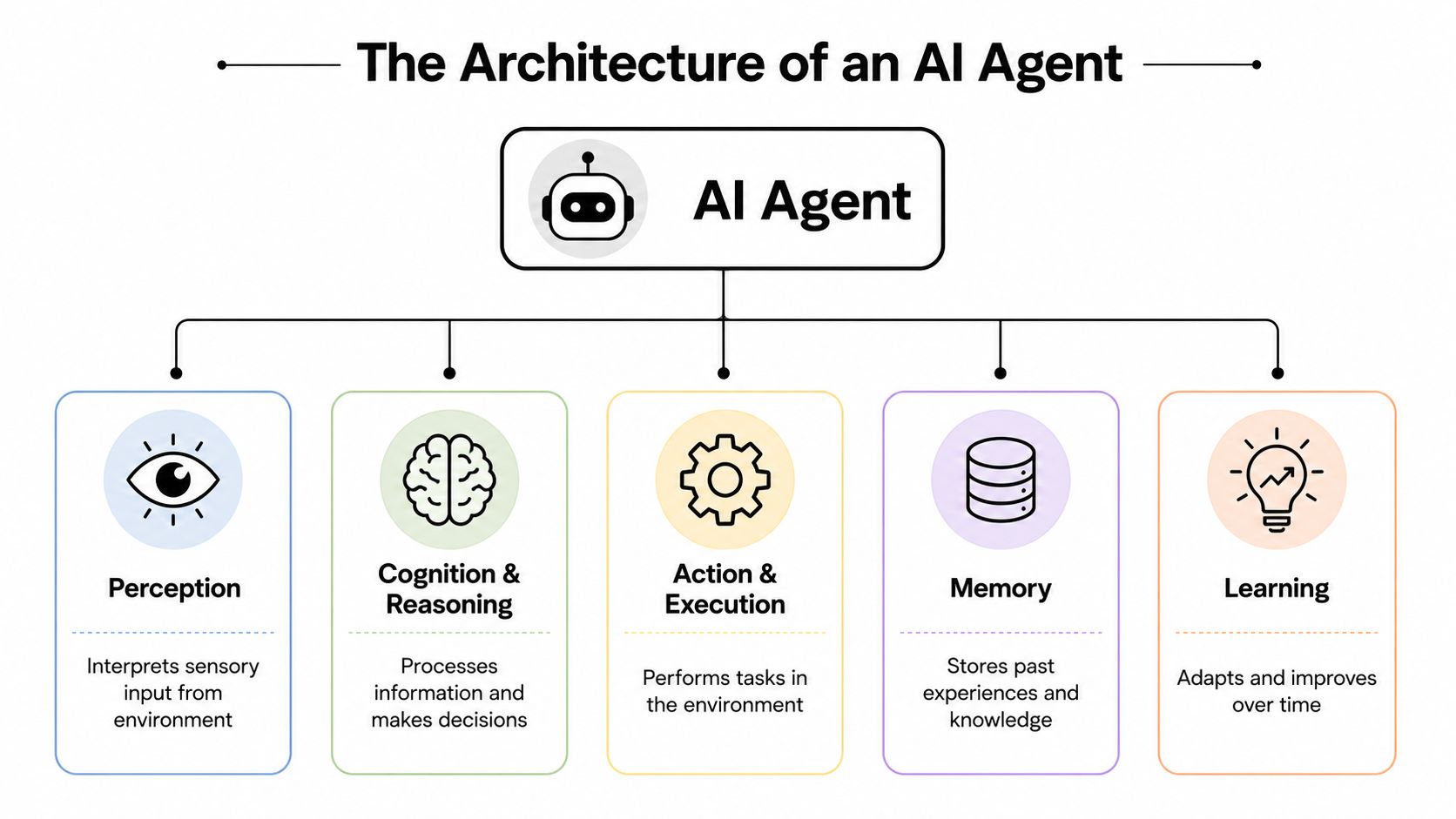
A working agent usually includes these layers:
Brain
The core language model handles interpretation, reasoning, and language generation. It gives the system flexibility, but by itself it can't complete business tasks.Planning loop
The agent needs a mechanism to break a goal into steps, decide what to do next, and re-evaluate when a step fails or new information appears.Tools and integrations
With tools and integrations, the agent stops being a chatbot. It needs access to systems such as Gmail, Slack, HubSpot, Salesforce, Jira, Zendesk, or Stripe so it can act instead of merely recommend.Memory and state
Without state, the agent forgets what it already tried, what rules apply, and what context belongs to the current user or tenant.Execution controls
Production agents need boundaries. Permissions, approval gates, retries, rate limits, and audit logging are as important as the model choice.
Developers who want to work directly with agent infrastructure often look at frameworks and deployment layers such as OpenClaw agent deployment options, especially when they need tool integration without building the full runtime from scratch.
Why agent benchmarks look different
Benchmarks for agentic systems aren't the same as benchmarks for language models. That's because the job is different.
According to Kili Technology's guide to agentic AI benchmarks, agentic evaluations focus on multi-step task completion, including tool use, planning, code execution, and error recovery in realistic software environments. They also need to score across accuracy, cost, latency, and safety at the same time.
That changes what “good” looks like.
| What you measure | Why it matters for agents |
|---|---|
| Task completion | A fluent answer isn't enough if the workflow fails halfway |
| Cost | More reasoning and tool use can make a capable agent expensive to run |
| Latency | A slow agent can disrupt live operations even if it's accurate |
| Safety | Unsafe actions can make an otherwise strong system unusable |
The common failure mode isn't that an agent says something odd. It's that it completes the wrong action confidently inside a real system.
Many prototype demos collapse in production. They optimize for capability and ignore operating constraints. The teams that succeed treat the architecture as software infrastructure, not as a prompt experiment.
Agentic AI Use Cases in Action
Some use cases sound impressive on a slide and fail on contact with real work. The ones that hold up usually have three traits. They involve repetitive decisions, they cross multiple systems, and they have clear escalation boundaries.
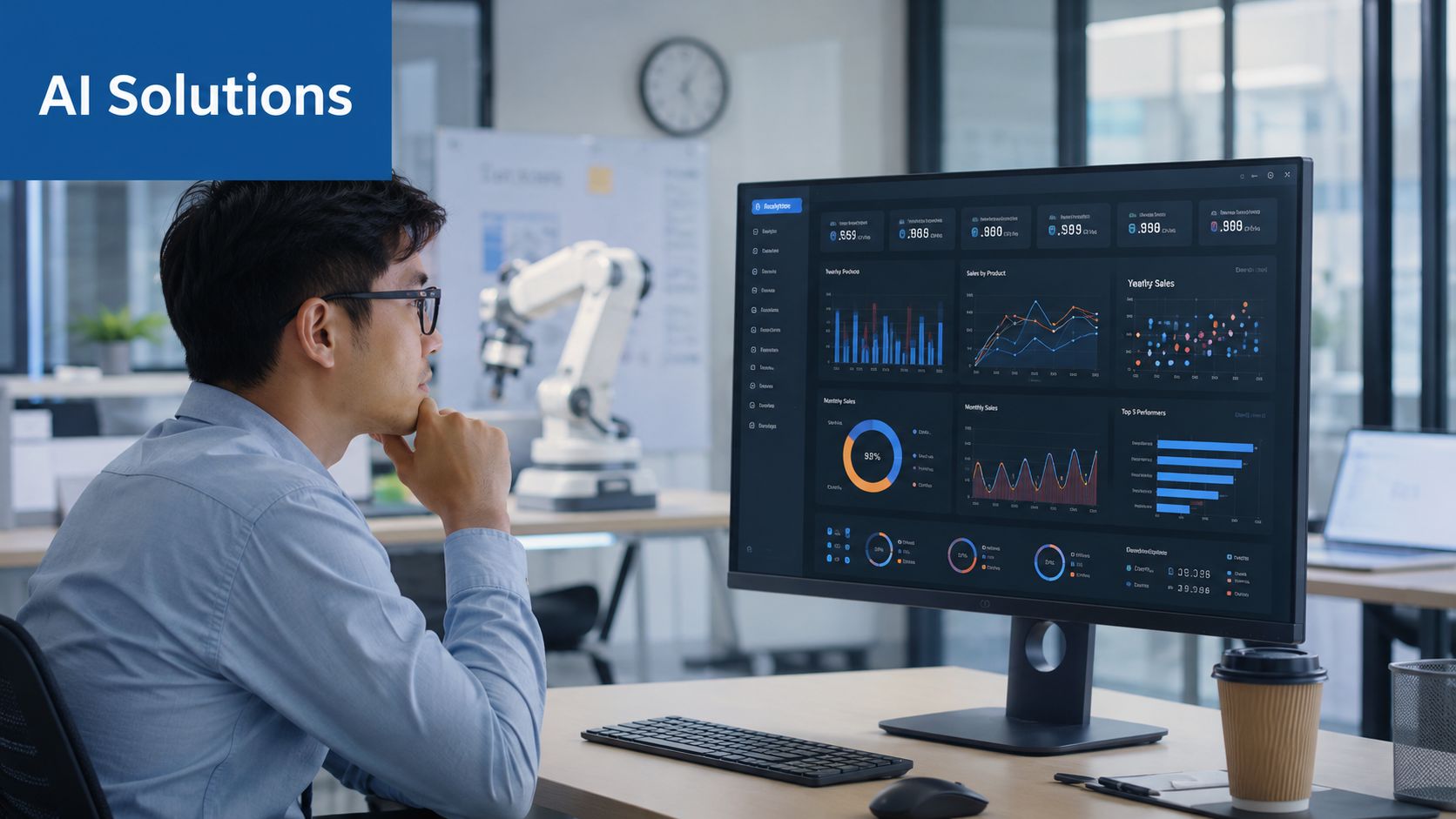
Sales workflows that move without hand-holding
A sales development workflow is a strong starting point because it's structured but time-consuming.
An agent can monitor an inbound form or a target account list, research the prospect's company, enrich the record with public business context, draft personalized outreach, log activity to the CRM, and schedule the next follow-up step. A human can still approve the first outbound message if the account is sensitive, but the agent handles the preparation work that usually clogs the day.
This approach works best when the team defines clear rules:
Qualified triggers
The agent should only act when a lead meets explicit criteria such as source, territory, or fit.Approved channels
It should know where it can send messages and where a rep must review first.CRM ownership
The record of what happened belongs in one system, not in scattered browser tabs and private notes.
Support and operations where context matters
Support is another natural fit, especially when the first phase is triage and preparation rather than full autonomy.
A support agent can read a new Zendesk ticket, verify subscription status through Stripe, classify the issue, pull prior conversation history, and draft a recommended response for approval. For messaging teams, a WhatsApp support agent workflow is often useful when the support channel itself is part of the customer experience, not just the back office.
For legal and compliance-heavy teams, the more interesting pattern is bounded research and workflow support rather than freeform automation. Teams exploring that path may find resources on AI tools for legal professionals helpful because legal operations require tighter review loops, source discipline, and approval checkpoints.
An operations example is even simpler. An agent watches a Slack channel for bug reports, extracts the relevant details, turns the message into a structured Jira issue, tags the right owner, and posts a confirmation back into the thread. That's not flashy. It's useful.
A short demo helps make the workflow shift concrete:
Good agentic use cases are narrow enough to govern and broad enough to remove real coordination work.
What doesn't work well? Vague mandates such as “run customer support” or “manage sales outreach.” Those fail because nobody defined the boundaries, the tools, or the handoff points. Agents perform best when the workflow is concrete and the permissions are explicit.
Deployment and Governance for AI Workforces
The leap from one agent to many changes the problem. You're no longer evaluating a feature. You're running a workforce layer.
What changes when one agent becomes many
A single internal prototype can survive sloppy boundaries. A multi-team deployment can't.
The first requirement is isolation. If one client's support agent can see another client's records, the design is broken. The second is RBAC. An agent should only access the tools and data needed for its role. The third is auditability. If an agent updates a CRM record, approves a routine action, or sends a customer response, someone needs a traceable log of what happened and why.
Those controls matter to founders too, not only enterprises. Solo builders often run personal workflows, side projects, and company operations in parallel. Agencies have the same problem at a larger scale across clients. Without clean instance boundaries, one success quickly becomes an operational mess.
Why multi-tenant design matters early
Multi-tenant and multi-instance architecture sounds like a later-stage concern, but it isn't. It determines whether your deployment can grow without rewrites.
A practical setup should support:
Separate environments
Personal, internal, and client workloads should run independently.Scoped credentials
Each agent should use only the secrets and integrations assigned to its own environment.Unified monitoring
Teams need one place to inspect logs, failures, usage, and action history.Centralized billing
Finance needs visibility when agents begin using external APIs, messaging channels, and reasoning loops at scale.
This cost issue is often underestimated. McKinsey's discussion of the agentic AI advantage highlights the underserved problem of cost-per-goal, especially when agents learn from their environment, adapt, and call APIs in ways that create unpredictable billing if teams don't consolidate monitoring and pricing controls. That point is discussed in McKinsey's analysis of the agentic AI advantage.
Here's the blunt version. “Unlimited agents” doesn't mean unlimited economic efficiency. If you don't know what each successful outcome costs in model usage, tool calls, and external service actions, you don't have a scaling strategy. You have a surprise invoice.
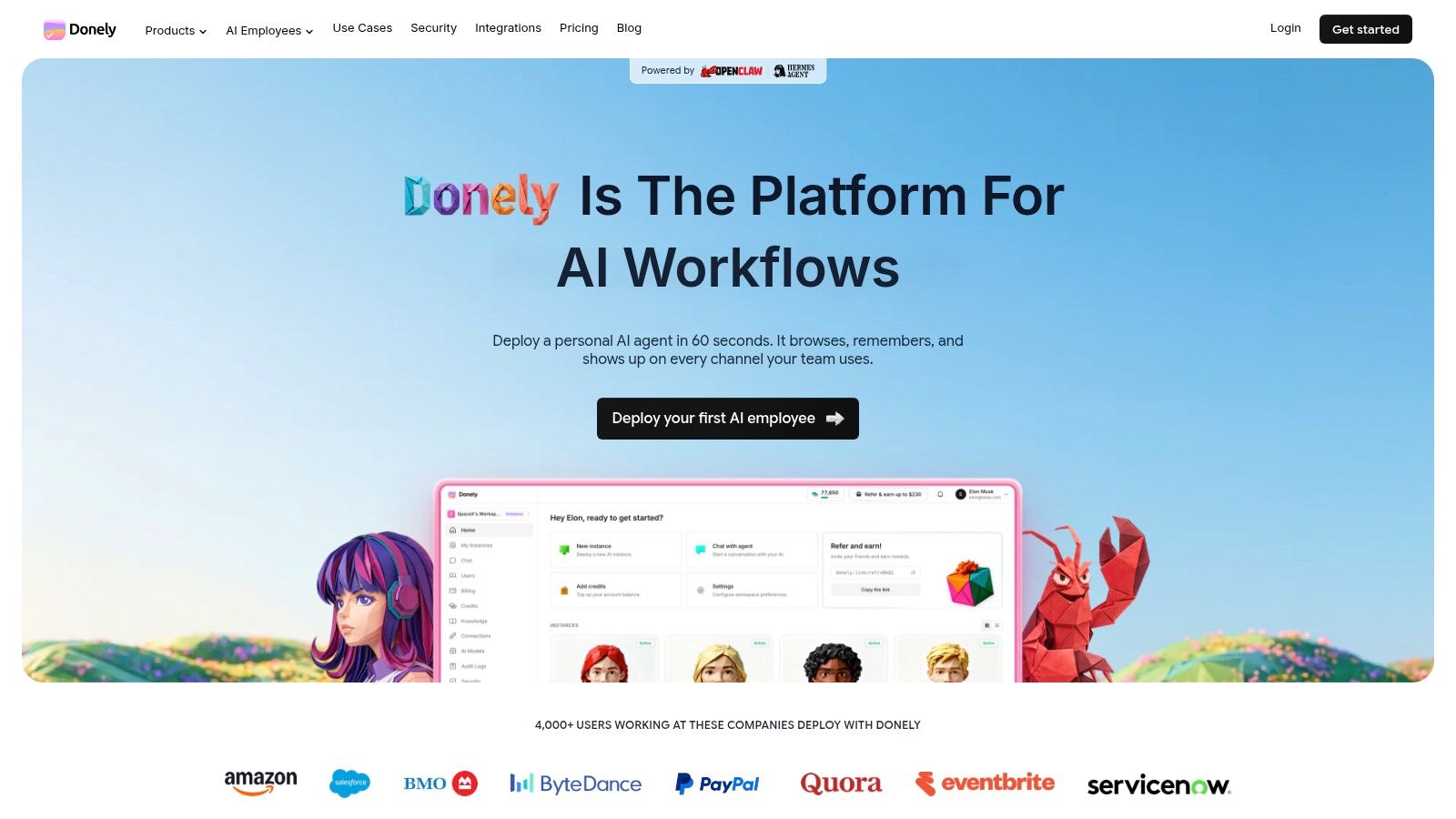
Among the platforms designed around this problem, Donely is one option built around multi-instance deployment, isolated containers, per-instance RBAC, unified audit logs, and centralized monitoring and billing for AI employees. Those aren't cosmetic features. They're the controls that make multi-tenant deployment workable.
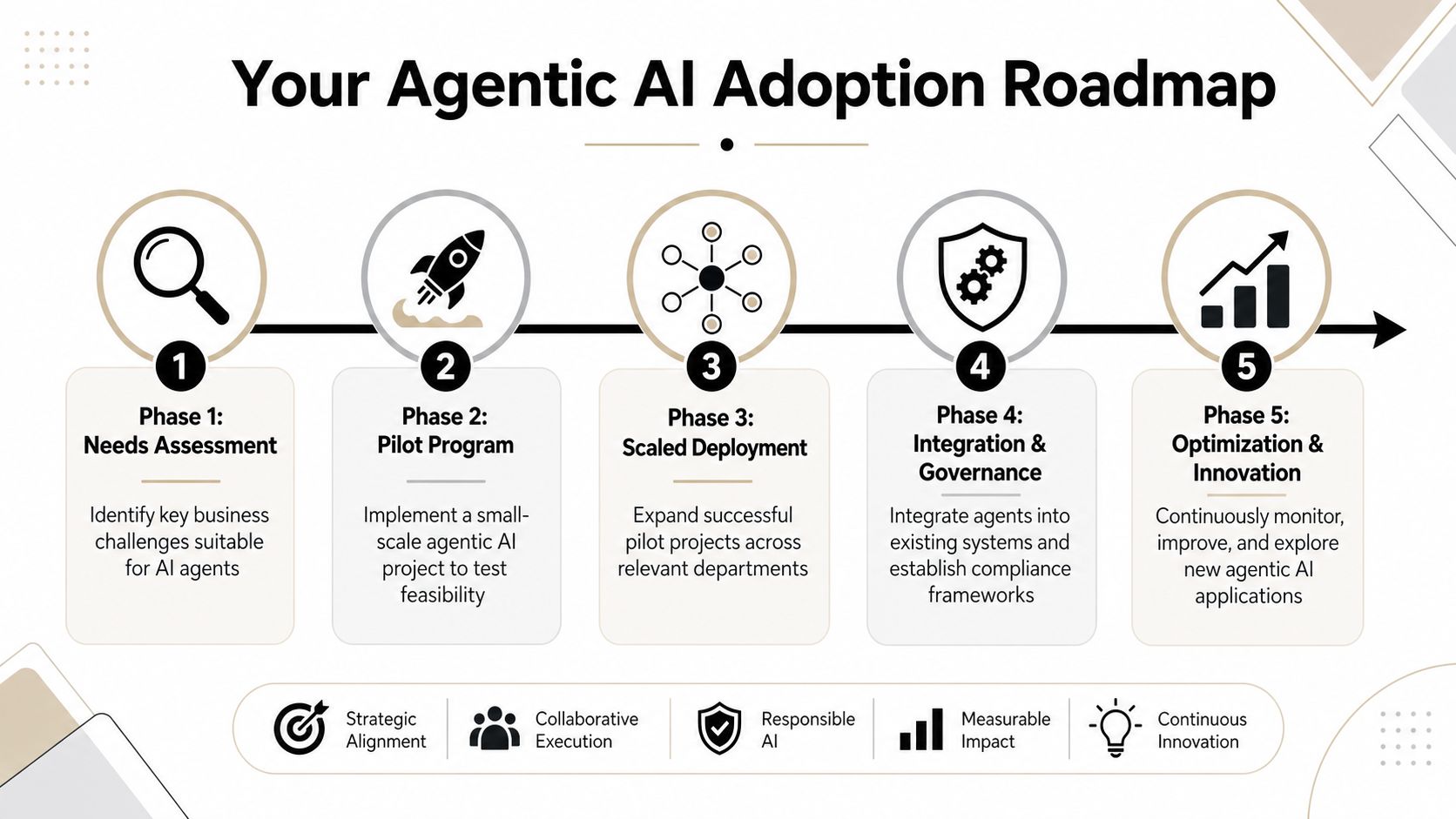
Your Agentic AI Adoption Roadmap
The fastest way to fail with agentic AI is to start too broadly. The safest way to make progress is to match scope to your operating maturity.
For founders and solo builders
Start with one workflow you personally touch every week and would gladly never do again.
A good candidate has a clear trigger, known tools, and limited downside. Lead qualification prep, meeting follow-up packaging, inbox triage, or simple support classification all fit. Don't begin with money movement, legal commitments, or anything that crosses multiple approval domains.
Use this sequence:
Pick one outcome
Define the finished result, not the technology. “Draft and log follow-up for inbound demo requests” is better than “build a sales agent.”Limit the tools
Give the agent access only to the systems it must touch.Keep a review gate
Let the agent prepare and propose before it sends or changes anything important.Watch failure modes
Look for repeated confusion around edge cases, missing context, and unnecessary actions.
For agencies, developers, and compliance teams
Agencies should pilot with one trusted client in an isolated instance. Shared environments create risk fast. Keep billing, logs, credentials, and access separate from day one.
Developers should focus on workflow design over model obsession. Often, the hard part isn't getting an answer. It's structuring tools, permissions, retries, and memory so the workflow survives real data and partial failures.
Compliance teams should define the operating rules before the proof of concept expands. That usually includes:
Data boundaries
Which systems and records the agent may access.Approval points
Which actions require review before execution.Logging requirements
What must be captured for audit and incident response.Rollback paths
How humans can intervene when the agent takes the wrong branch.
Start with shadow mode when the workflow is sensitive. Let the agent recommend actions before it executes them.
A practical maturity path looks like this:
| Stage | What the agent does | Human role |
|---|---|---|
| Assist | Drafts, classifies, and prepares actions | Human executes |
| Recommend | Suggests next steps with context | Human approves |
| Act under policy | Executes low-risk tasks within rules | Human monitors exceptions |
| Coordinate | Works across multiple tools or agents | Human governs the system |
That progression is how teams move from curiosity to controlled autonomy. It's slower than a flashy launch. It's also how you avoid redoing the architecture six months later.
Conclusion Building Your First AI Employee
Agentic AI matters because it changes the unit of value from generated output to completed work. The important leap isn't that the model sounds more human. It's that the system can perceive a situation, reason about the next step, and act inside the software your business already runs.
That makes it useful now, not someday. But it only works when deployment and governance are treated as first-class design choices. Teams need isolated environments, scoped permissions, audit trails, billing visibility, and clear approval rules before they start calling agents a workforce.
For founders, the right first move is small and high impact. For agencies, it's isolated client pilots. For developers, it's tool-aware workflows with strong controls. For compliance teams, it's a governed proof of concept that treats agents like accountable operators.
If you're comparing platforms that can take you from prototype to managed deployment, look at options built for persistent AI workers rather than one-off chat sessions. One example is Donely AI Employees, which are designed as role-based agents that execute multi-step workflows across connected systems.
If you want to move from experimenting with prompts to deploying governed AI workers, Donely offers a practical path: launch production-ready agents quickly, connect them to a large integration stack, and manage separate workloads through isolated instances with centralized logs, monitoring, and billing.