
You're probably in one of two situations right now. Either your team is buried in repetitive work like inbox triage, meeting reschedules, CRM cleanup, and internal follow-ups, or you've already tested AI and discovered that a good demo doesn't automatically become a reliable business process.
That gap is where most AI administrative assistant projects stall. The problem usually isn't model quality alone. It's deployment discipline. Teams launch a chatbot, give it too much access, connect it to the wrong systems, then wonder why it creates more review work than it removes.
A production-ready AI administrative assistant isn't just a prompt in a chat window. It's an operational worker with a role, permissions, boundaries, logs, and measurable outcomes. If you're deploying for a founder workflow, a support queue, an internal ops team, or a client-facing agency environment, the hard part isn't getting an answer. The hard part is making sure the assistant acts in the right systems, on the right data, with the right controls.
Table of Contents
- Beyond the Hype The Rise of the AI Administrative Assistant
- Architecting Your AI Assistant Capabilities and Data Boundaries
- Step-by-Step Deployment From Agent to Integrations
- Scaling With Multi-Instance and Role-Based Access Control
- Ensuring Enterprise-Grade Security and Compliance
- Testing Monitoring and Financial Planning
- Conclusion and Ready-to-Use Agent Templates
Beyond the Hype The Rise of the AI Administrative Assistant
Administrative work rarely fails all at once. It slips. A lead sits unanswered until the next morning. A calendar conflict doesn't get resolved. A client email gets drafted but never sent. A CRM record is missing the note that would've helped the next person in line. Each task is small. Together, they create drag across the whole business.
That's why the market is moving so quickly toward embedded assistants that can do real work instead of only generating text. The broader AI assistant market is projected to grow from USD 3.35 billion in 2025 to USD 21.11 billion by 2030 at a CAGR of 44.5%, and administrative virtual assistants hold the largest segment share at 31.5%, according to Intel Market Research's market analysis. That projection matters because it reflects where companies are spending. They're not just experimenting with chat. They're trying to remove recurring operational friction.
The useful framing is simple. An AI administrative assistant isn't a smarter inbox autocomplete. It's a software worker that can observe a trigger, apply rules, use business context, and take action across systems.
Practical rule: If the assistant can't complete a bounded business task from trigger to outcome, you don't have an administrative assistant yet. You have a drafting tool.
This shift also explains why teams are looking beyond isolated copilots. They need assistants that can work with Gmail, Slack, calendars, CRMs, ticketing systems, and internal documentation without forcing staff to copy information across tools by hand. That's the operational layer many high-level articles miss.
A useful companion read is Querio's insights on AI assistants, especially if you're thinking about how assistant workflows intersect with business data instead of treating AI as a standalone layer. The same principle applies to admin operations. The value comes from execution close to the systems where work already lives.
For teams evaluating deployment platforms, the right question isn't “Can this write emails?” It's “Can this run a contained workflow safely, repeatedly, and with reviewable output?” That's the difference between experimentation and a usable AI employee platform.
What changes when you treat it like an employee
Once you stop treating the assistant like a chat toy, the implementation gets clearer:
- Role first: Define whether it handles triage, scheduling, CRM upkeep, internal routing, or support operations.
- System access second: Give it scoped access only to the tools required for that role.
- Success criteria third: Decide what “done” means before rollout.
That order matters. Teams that skip it usually end up with a general-purpose assistant that touches too much and owns nothing.
Architecting Your AI Assistant Capabilities and Data Boundaries
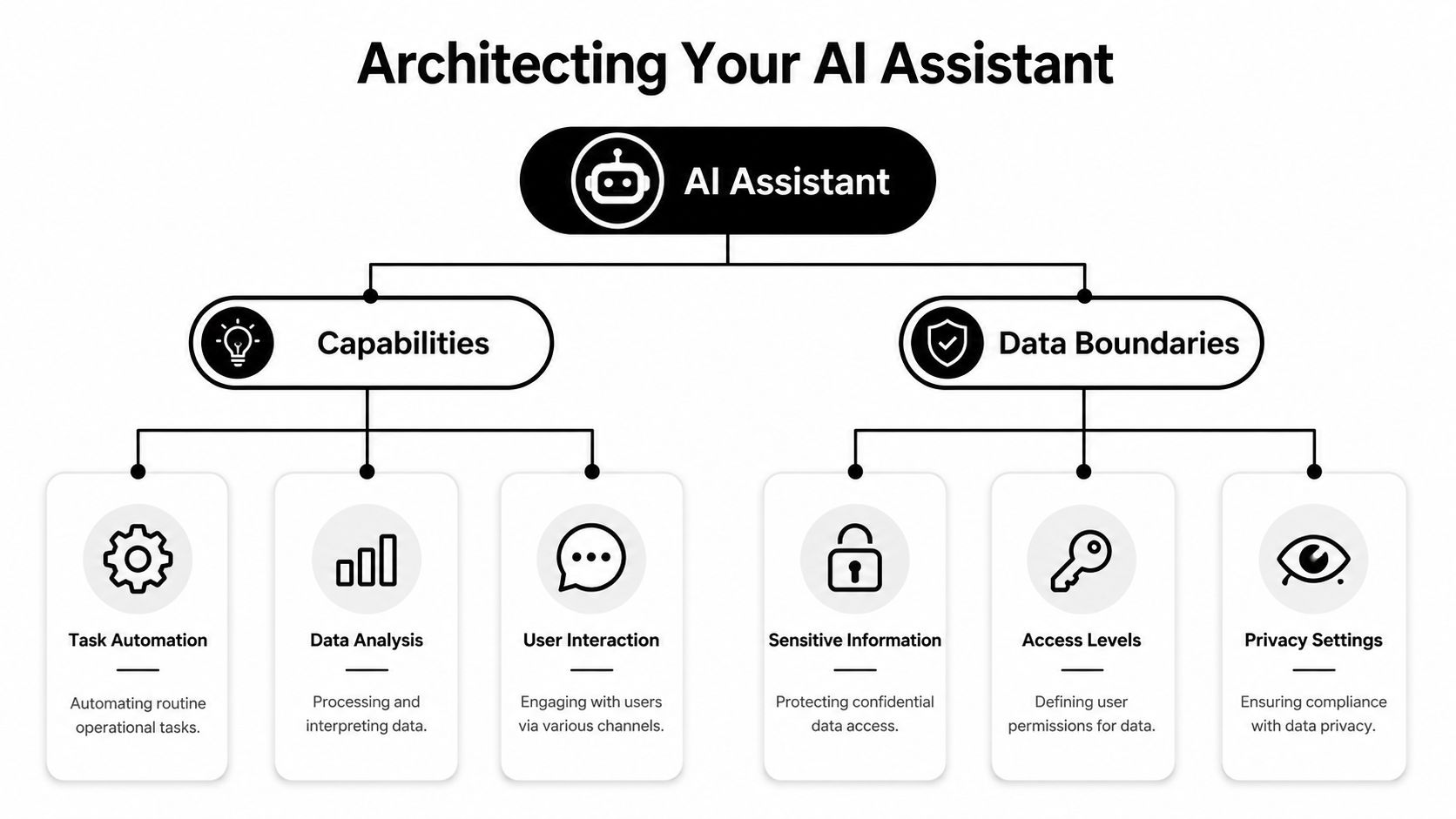
An AI administrative assistant should start as a blueprint, not a pilot. Before you connect a single tool, define two things with precision: what it is allowed to do, and what it is allowed to see.
By 2026, 40% of enterprise applications are expected to include task-specific AI agents, according to Index.dev's AI assistant statistics roundup. That shift favors assistants embedded into workflows, not floating beside them. If your design is vague at the beginning, the integration layer will amplify the confusion.
Start with the job not the model
A strong design starts with tasks that are repetitive, rules-based, and easy to verify. Good early candidates include inbox categorization, calendar coordination, CRM updates, internal handoff messages, invoice routing, and document collection.
Write the assistant's capabilities as verbs tied to systems:
- Read and classify: Monitor a Gmail label for inbound leads or support requests.
- Extract and update: Pull name, company, request type, and urgency from an email, then update HubSpot or Salesforce.
- Notify and route: Send a Slack message to the right internal channel when a human needs to step in.
- Prepare drafts: Generate a reply for approval when the situation needs a human sign-off.
Keep each capability bounded. “Manage communications” is too broad. “Draft responses for scheduling emails from a specific inbox and wait for approval before sending” is deployable.
Teams benefit from architecture patterns borrowed from software operations. If you've worked on workflow-heavy systems, the logic is similar to building efficient distributed systems. Clear boundaries between events, actions, and permissions make the whole environment easier to reason about when something goes wrong.
Define data boundaries before permissions
Most failures I see aren't caused by the assistant doing something impossible. They're caused by the assistant being allowed to look at too much.
Data boundaries should be scoped by source, content type, and business context. That means deciding:
- Which inbox segments it can access: A specific Gmail label is safer than the full mailbox.
- Which channels it can read or post in: A dedicated Slack channel is safer than a workspace-wide grant.
- Which CRM records it can touch: A filtered view or list is better than full-account write access.
- Which knowledge base it can use: Give it the approved policy set, not every internal note.
The safest assistant is the one that can only fail inside a small box.
That principle becomes more important as assistants move closer to live operations. A scheduling assistant may only need calendar availability and a small contact context. A finance support assistant may need invoice metadata but not payroll data. A client services assistant may need one customer's brand voice and no access to any other account.
A shared company knowledge layer can still be useful, but it should be segmented and intentional. If your deployment includes reusable instructions, process notes, and approved internal references, structure them as a scoped company brain for AI agents, not as a giant undifferentiated archive.
A practical pre-build checklist
Before launch, get these answers in writing:
- Primary workflow: What exact business task does this assistant own?
- Trigger: What event starts the workflow?
- Allowed actions: What can it read, write, draft, or send?
- Human checkpoints: Which steps require approval?
- Fallback path: Where does unresolved work go?
- Audit need: What evidence will you need if someone asks what happened?
If you can't answer those cleanly, the assistant isn't ready for production access.
Step-by-Step Deployment From Agent to Integrations
Monday at 8:37 a.m., a demo request lands in a shared inbox. By 8:40, sales wants it in the CRM, ops wants the routing rules followed, and leadership expects a reply history if the handoff goes wrong. That is the right place to start an AI administrative assistant. One trigger. One workflow. One outcome the team can verify.
A platform-based rollout keeps the first deployment under control. Define the agent in plain language, connect the systems that already carry the work, and test the path end to end before anyone asks for five more automations. For teams that need a clean operating model, the deployment should be reviewable by ops, security, and the process owner, not just the person configuring prompts.
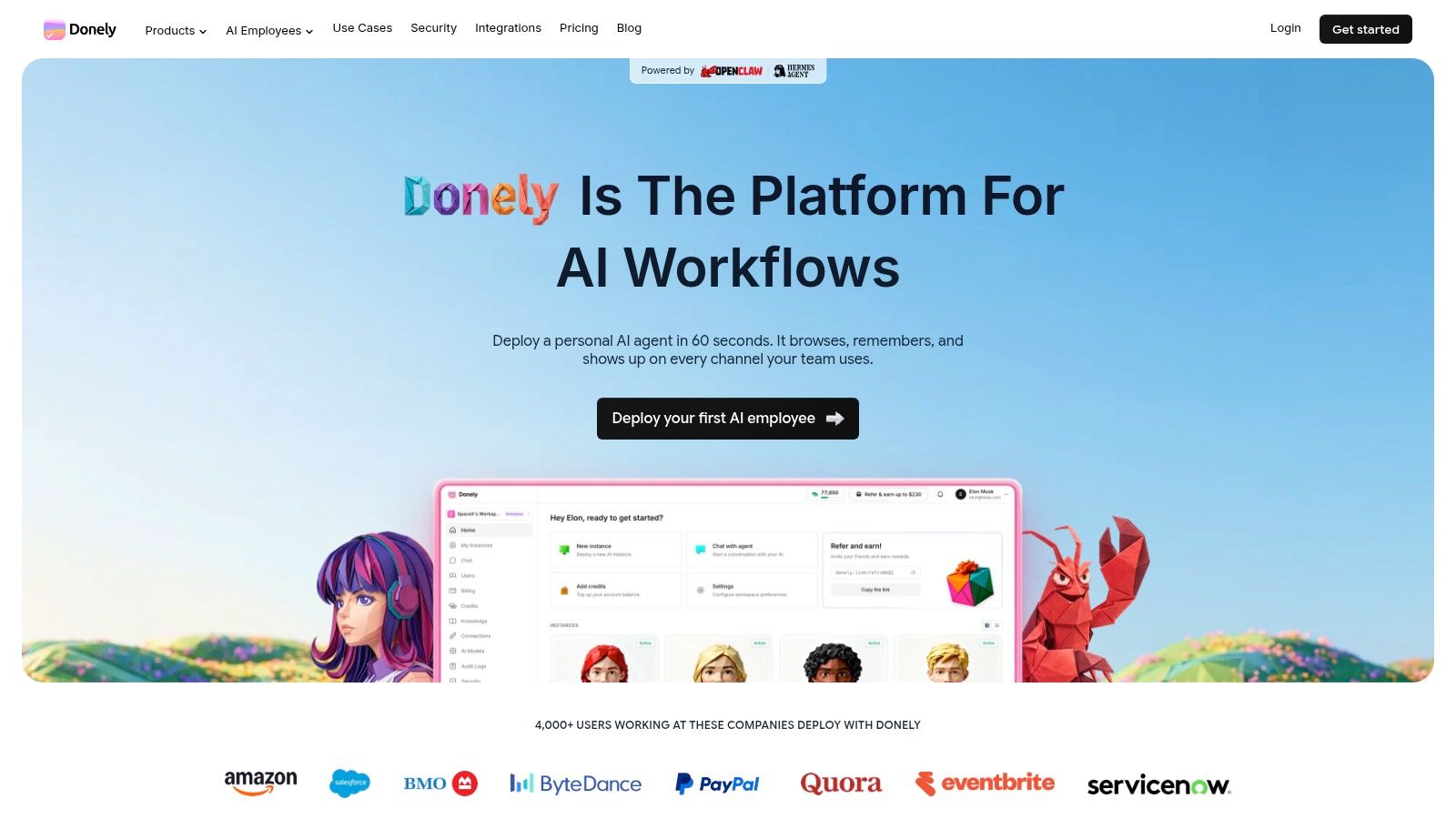
A typical interface looks like this:
Write the agent spec in plain English
The first version fails when teams treat the prompt like a branding exercise. Production agents need operating instructions.
A useful spec for an administrative assistant includes five parts:
- Role: “You are an administrative assistant for inbound sales coordination.”
- Objective: “Identify qualified meeting requests and move them into the scheduling process.”
- Source of truth: “Use the inbound Gmail label, the approved meeting rules, and the CRM as the system of record.”
- Rules: “Do not send calendar invites directly. Draft replies for approval when confidence is low. Never edit existing CRM owners.”
- Escalation: “If a message contains pricing objections, legal questions, or unclear intent, notify the sales channel in Slack.”
That is enough to produce reliable behavior when the scope is narrow. If the spec needs a full page of exceptions on day one, the workflow is probably too broad.
Connect systems in the order the work happens
Do not wire up every integration at once. Follow the business process as it runs today.
For an email-to-CRM intake assistant, the build order usually looks like this:
Gmail first
Connect only the label, folder, or mailbox segment that contains the target messages. This creates a stable trigger and limits noise during testing.CRM second
Add HubSpot or Salesforce after the extraction logic is stable. Early releases should write into a controlled view, queue, or pipeline stage instead of editing the full database.Slack third
Add alerts after the first two systems are predictable. Slack is the right place for exception handling, low-confidence cases, and approval requests.
This sequence reduces debugging time. If the assistant creates bad CRM records before the parsing logic is stable, cleanup costs more than the automation saves.
A platform such as Donely can host the agent, connect business tools, and handle the deployment layer without separate DevOps work. That matters when the goal is workflow execution and controlled rollout, especially if you expect to expand into multiple assistant instances later. Security reviewers will also want to see how integration access is handled, so include the platform's security policy and access controls in the approval process.
Build one complete workflow before adding more
A strong first workflow is simple enough to monitor and useful enough to justify the rollout.
Here is a practical example:
- Trigger: A new email arrives in a Gmail label called “Inbound Demo Requests.”
- Step one: The assistant extracts sender name, company, intent, and meeting preference.
- Step two: It checks whether the contact already exists in the CRM.
- Step three: It creates or updates the CRM record with the approved fields.
- Step four: It posts a summary to a Slack channel for sales coordination.
- Step five: It drafts a scheduling reply when confidence is high. If confidence is low, it routes the message for review.
That workflow proves value fast. It removes manual copy-and-paste work, applies the same intake logic every time, and leaves a visible trail for review.
The trade-off is speed versus control. Full auto-replies save more time, but draft-only mode is easier to approve in the first release. I usually recommend draft-first until the team has seen enough edge cases to trust the extraction and routing logic.
Teams new to operational AI should also spend time on failure handling. Good deployments define what happens when the CRM is unavailable, the email lacks enough context, or the contact matches multiple records. External guidance on protecting AI for high-growth companies is useful here because the weak point is rarely the model alone. It is the combination of access, automation, and silent failure.
A short walkthrough helps if your team is new to agent deployment:
Common deployment mistakes
These issues show up in early rollouts:
- Too much persona, not enough instruction: A polished voice does not replace business rules, approval paths, or field-level constraints.
- Integrations connected too early: If every tool is live before the core workflow is stable, debugging turns into guesswork.
- No exception queue: Unclear cases need a defined destination, owner, and response time.
- Testing only on clean samples: Production traffic contains ambiguous requests, forwarded threads, missing signatures, and partial context.
- No ROI baseline: If you do not measure time saved, handoff accuracy, and cost per successful completion, it is hard to defend expansion.
A good first release is narrow, observable, and slightly conservative. That is what makes it safe to run in production and easy to extend into a broader AI workforce later.
Scaling With Multi-Instance and Role-Based Access Control
A single assistant works fine for one founder or one tightly scoped internal process. It breaks down when multiple teams, departments, or clients share the same environment. At that point, the problem shifts from automation to governance.
The hardest question in agency and multi-client deployments isn't whether the AI can draft a response. It's whether you can prove that Client A's assistant never had access to Client B's data, tone guidelines, or operating instructions. That concern is explicitly called out in Robert Half's discussion of how teams evaluate administrative AI output and controls. A multi-instance architecture with per-instance RBAC and isolated data boundaries solves the actual business risk because each workload lives in its own controlled environment.
Why one shared agent breaks down fast
A solo founder might reasonably run one assistant for personal scheduling, inbox cleanup, and basic lead routing. An agency can't. Once one environment serves multiple clients, you invite confusion in prompt context, document retrieval, brand voice, and permissions.
The same issue appears inside enterprises. Finance, support, recruiting, and executive ops shouldn't be operating from one assistant instance with a shared memory layer. Each function has different data sensitivity, review rules, and acceptable actions.
Use separate instances when any of these are true:
- Different audiences: Internal ops and client-facing communication shouldn't share context.
- Different brand rules: Each client or department has its own voice and approval policy.
- Different data classes: HR, finance, support, and sales data need different boundaries.
- Different operators: Team members shouldn't see or manage instances unrelated to their job.
Shared AI feels efficient until the first time someone asks, “Why did this assistant know that?”
RBAC closes the second gap. Isolation protects the data. RBAC determines who can configure, monitor, approve, or audit each assistant. That's what keeps an account manager from accessing finance workflows, or a junior operator from editing an executive assistant's instructions.
Deployment Models for Your AI Assistant
| Feature | Single Instance (Solo Founder / Small Team) | Multi-Instance (Agency / Enterprise) |
|---|---|---|
| Primary use case | One assistant handles a narrow set of internal workflows | Separate assistants serve clients, departments, or business functions |
| Data access model | Limited but often broader within one business context | Strictly isolated per client, team, or workload |
| Prompt and knowledge setup | Shared instructions for one operating environment | Distinct instructions, documents, and rules per instance |
| User access | Small number of trusted operators | Granular access by role, team, or account responsibility |
| Audit needs | Basic review of actions and outputs | Formal review path for client safety, compliance, and accountability |
| Brand voice control | One company voice is usually enough | Each client or department needs separate tone and approval logic |
| Operational risk | Lower complexity, easier to manage informally | Higher complexity, requires deliberate governance |
The practical pattern is simple. One business function, one client, or one risk profile should map to one instance. That structure makes reviews cleaner, permissions easier to reason about, and failures easier to contain.
Ensuring Enterprise-Grade Security and Compliance
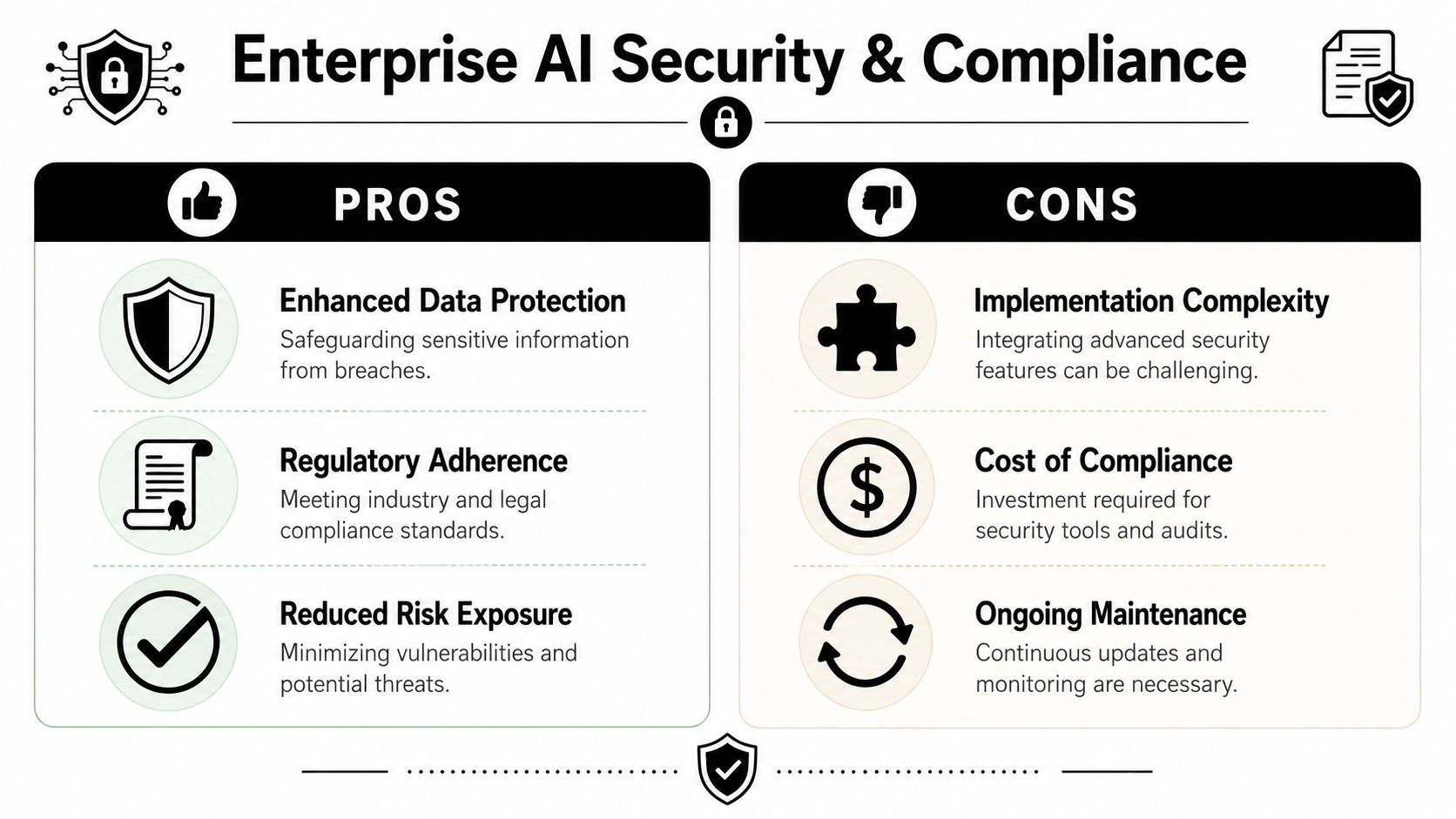
Security work starts long before the first assistant sends a message. If the deployment model is weak, no prompt engineering will save it. For an AI administrative assistant, key control points are isolation, scoped access, and evidence.
This matters even more in industries with strict operating expectations. In financial services, AI assistants are expected to maintain more than 99.9% uptime, keep transaction response times under 2 seconds, and achieve CSAT of 85% or higher to preserve trust, according to Galileo's benchmarks for banking and finance AI assistants. Most admin teams won't deploy against identical conditions, but the lesson is useful. Reliability and trust aren't soft concerns. They're operating requirements.
Security controls that matter in live operations
Three controls do most of the heavy lifting in production.
First, isolated execution environments. One assistant shouldn't be able to interfere with another assistant's runtime, tools, or context. Isolation limits blast radius when a workflow misfires or a configuration changes unexpectedly.
Second, scoped data access. Assistants should receive the minimum access needed to perform their task. That means label-level email access, channel-level messaging access, and list- or view-level CRM access wherever possible.
Third, unified audit logs. Every meaningful action should be reviewable. That includes prompt or instruction changes, integration changes, approval events, outbound actions, and failed attempts.
A lot of security guidance around AI stays too abstract. For operators, the standard is simpler: could you reconstruct what happened after a questionable action? If not, your deployment is under-governed.
Teams that want an additional operational security checklist may find protecting AI for high-growth companies useful as a practical supplement. The strongest AI security posture usually combines application controls, identity controls, and process discipline.
What compliance means in practice
Compliance language gets thrown around loosely, so it helps to translate it into deployment decisions.
- SOC 2 posture: Buyers usually want evidence that access, logging, and operational controls are formalized.
- HIPAA-ready architecture: This typically means the underlying architecture can support protected health information handling when configured correctly. It doesn't mean every workflow is automatically safe.
- SSO and identity controls: Centralized identity reduces drift in who can access or configure assistants.
- Auditability: You need a record of who changed what, when, and which assistant acted on it.
For procurement and security reviews, a documented security policy for AI operations is often more useful than broad claims. It gives legal, IT, and compliance stakeholders something concrete to evaluate against actual deployment practices.
Trust in AI operations comes from constraints, not from optimism.
If a vendor can't explain how instances are isolated, how access is scoped, and how actions are logged, the risk isn't theoretical. It's operational.
Testing Monitoring and Financial Planning
A lot of teams still evaluate AI admin workflows with the wrong standard. They ask whether the assistant is perfect. That's not how you should decide if it belongs in production.
Leading AI agents show a 70% failure rate on complex office tasks in simulated environments, and experts recommend a 50-attempt benchmark plus a Cost per Success calculation to evaluate production readiness, as described in this analysis of CMU office agent findings. The formula is:
(avg API cost × total attempts ÷ successes) + (handling time per failure × failure rate × hourly rate)
That framework is more useful than generic “accuracy” talk because it ties performance to labor economics.
Perfection is the wrong target
If a workflow saves money and reduces manual burden despite failures that are easy to catch and route, it may still be worth deploying. The key is choosing the right class of task.
This works best when:
- Failures are visible: A wrong CRM field or a draft flagged for review is easier to manage than an invisible misclassification.
- Recovery is cheap: A human can correct the result without rebuilding the whole task.
- The workflow is repetitive: Savings compound on recurring admin actions.
- Manual baseline is known: You already know what it costs in time and labor to do the task by hand.
This does not work well when errors are hard to detect, legally sensitive, or likely to create customer harm before review.
An AI administrative assistant doesn't need to be flawless. It needs to be cheaper, faster, or more consistent than the manual path once supervision is included.
Run the 50 attempts on a real workflow, not on cherry-picked examples. Use normal inbox noise, real formatting variation, and the edge cases your team sees.
What to watch after launch
Once the assistant is live, operators need a small set of metrics they can act on. You don't need a giant analytics program at the start. You need visibility into failure modes and cost drivers.
Monitor these areas:
- Trigger volume: Is the assistant seeing the right work, or is the intake too noisy?
- Action completion: How often does it finish the full workflow without intervention?
- Escalation patterns: What kinds of messages force handoff most often?
- Token and API usage: Which prompts or branches are driving cost?
- Integration errors: Are Gmail, Slack, HubSpot, or calendar actions failing due to permission or formatting issues?
- Review burden: Is the human approval queue shrinking or growing over time?
Patterns matter more than snapshots. If escalations spike after a prompt change, roll it back. If token use rises after adding too much background context, simplify the instructions or reduce retrieval scope.
Budgeting for scale without surprises
Cost control gets easier when billing, logs, and usage are visible in one place. The dangerous pattern is fragmented deployment, where one team runs an assistant in one account, another team uses separate connectors, and nobody can see the total operating footprint.
A cleaner financial model includes:
Workflow-level costing
Estimate cost per successful outcome, not cost per prompt.Environment separation
Keep client or department workloads distinct so you can assign ownership and spot waste.Approval discipline
Don't let review-heavy workflows masquerade as automation gains.Iteration budget
Early versions will need prompt refinement, access tuning, and exception handling. Plan for that work.
The main financial mistake is scaling an unproven workflow because the demo looked good. Validate one workflow, get the cost-per-success below the manual baseline, then expand.
Conclusion and Ready-to-Use Agent Templates
Monday morning, the shared inbox is full, calendar requests are colliding, and the CRM already contains three versions of the same contact. That is the point where an AI administrative assistant either saves time or creates a larger cleanup job. The difference is rarely the model. It is the operating design around it.
Production deployments work because the assistant is treated like a bounded worker, not a general-purpose bot. Define the job. Limit the systems it can touch. Keep approval steps where errors are expensive. Split instances by client, team, or risk profile when isolation matters. Give managers logs they can review without guessing what happened.
That operating model also closes the gap between a simple demo and a real AI workforce. Agencies need separate client instances. Internal teams need role-based access so sales, ops, and admins do not share the same permissions. Finance needs a way to judge automation by cost per successful outcome, not by prompt volume. Those details decide whether an assistant stays in pilot or becomes part of daily operations.
A useful starting question is simple: what recurring admin task would your team hand off today if the work stayed within policy, produced a reviewable output, and was cheap to correct when it failed? That question leads to narrower, safer agents, and those agents are the ones that usually survive first contact with production.
Below are three copy-ready templates you can adapt inside your own platform.
Template 1 Email Triage Assistant
Role
You are an administrative assistant responsible for triaging inbound email in a designated business inbox.
Objective
Classify inbound messages, identify the correct handling path, and reduce manual sorting work for the team.
Instructions
- Review only messages from the approved inbox label.
- Classify each message into one of these categories: scheduling, sales inquiry, support issue, internal request, vendor communication, or unclear.
- Extract the sender name, company, urgency, and requested action when present.
- Draft a short internal summary for each message.
- If the message is routine and low risk, prepare a reply draft using the approved tone guidelines.
- If the message is unclear, sensitive, or likely to require judgment, send it to a human review queue instead of replying.
Restrictions
- Don't send outbound email without approval.
- Don't access messages outside the approved label.
- Don't invent facts or commitments not stated in the source email.
Escalation path
Send unclear, sensitive, or priority messages to the designated Slack channel with a one-paragraph summary.
Template 2 Sales Meeting Scheduler
Role
You are an administrative assistant responsible for coordinating qualified sales meeting requests.
Objective
Reduce back-and-forth scheduling and ensure qualified meeting requests are routed correctly.
Instructions
- Monitor approved inbound requests for demo or meeting intent.
- Extract contact information, company name, time preference, and relevant context.
- Check whether the contact already exists in the CRM.
- If the record doesn't exist, create a new contact in the approved segment.
- Prepare a reply draft offering the approved scheduling path.
- If the request includes pricing objections, legal questions, or unclear qualification, notify the sales team for review.
Restrictions
- Don't send calendar invites directly unless the workflow explicitly allows it.
- Don't reassign CRM ownership.
- Don't promise product capabilities not listed in the approved materials.
Escalation path
Post edge cases and high-value opportunities to the internal sales coordination channel.
Template 3 CRM Data Entry Clerk
Role
You are an administrative assistant responsible for maintaining CRM hygiene from inbound communications and approved source systems.
Objective
Keep contact and activity records complete, current, and consistent.
Instructions
- Read approved inputs from email summaries, form submissions, or designated notes.
- Standardize company names, contact names, and activity fields according to CRM rules.
- Create new records only when no matching record exists.
- Update missing fields when the new information is explicit and reliable.
- Add a concise activity note that summarizes the latest interaction.
- Flag ambiguous matches or conflicting records for human review.
Restrictions
- Don't merge records automatically.
- Don't edit lifecycle stage or ownership unless the workflow explicitly allows it.
- Don't overwrite existing values with guessed or incomplete information.
Escalation path
Route duplicate-risk and conflict cases to operations review with the source text attached.
These templates are effective because they specify scope, allowed actions, restrictions, and handoff rules. That structure makes an assistant easier to test, safer to delegate to, and easier to improve after launch.
If you are ready to move from experimentation to a governed AI workforce, Donely provides a practical way to deploy and manage AI employees with isolated instances, scoped access, centralized monitoring, and built-in integrations across common business tools. It fits teams that want operational control without building the hosting, tenancy, and management layer from scratch.