
You probably have the same problem everyone hits after the first successful Discord automation. One bot is answering FAQs in your community server, another is tucked inside a client workspace, and a third is half-working in a private server where prompts, permissions, and tokens were never set up the same way twice. The bot itself isn't the hard part anymore. The hard part is keeping the whole thing clean, fast, and safe when Discord is just one channel in a wider agent stack.
Table of Contents
- Why an AI Discord Bot in 2026 Is an Infrastructure Decision
- What an AI Discord Bot Does in 2026
- Setting Up Your Discord Bot the Right Way
- Configuring the Agent That Powers the Bot
- Running Multiple Bots With Multi-Instance and RBAC
- Monitoring, Latency, and Human Oversight
- Troubleshooting and Scaling the AI Discord Bot
Why an AI Discord Bot in 2026 Is an Infrastructure Decision
A founder I worked with had three bots running at once. One answered product questions in a public community, one handled support in a client server, and one was meant to route internal requests in a private channel. Each bot had different permissions, different prompt wording, and a different failure mode. The issue was not capability, it was operational sprawl.
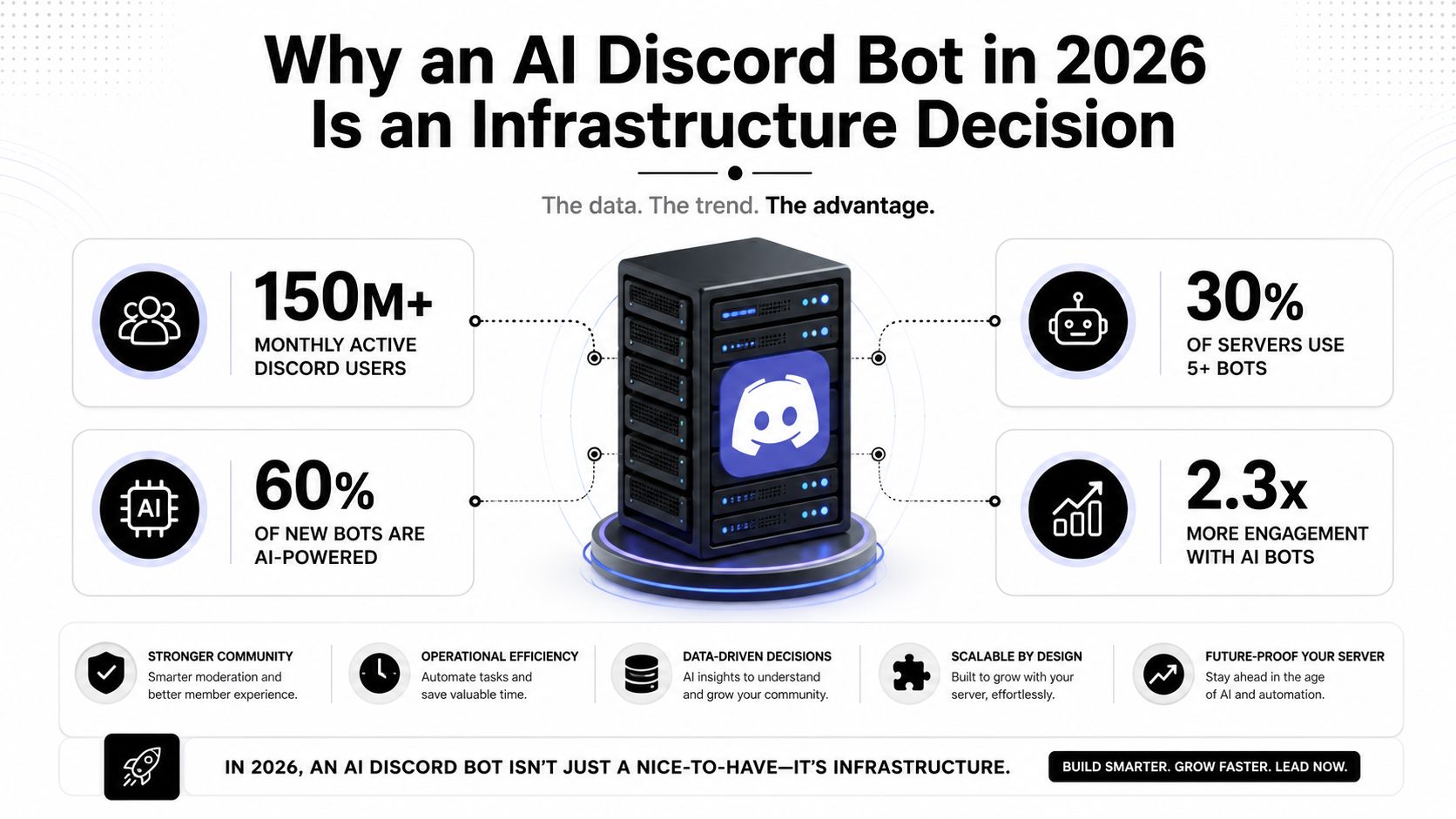
Discord's scale makes that mess matter. By 2026, the platform had more than 200 million monthly active users and 690 million all-time registered users, and the most installed Discord bot, MEE6, had been installed on about 21.3 million servers. Discord also showed 12.38% year-over-year registered-user growth, moving from 614 million to 690 million, with projections of 771 million by the end of 2026, according to the 2026 user data from Resourcera's Discord users report. That is a crowded operating surface, not a hobby sandbox.
The bar is no longer basic responsiveness
The market has already moved past “can it reply?” Industry coverage in 2026 describes AI moderation, conversational assistants, and analytics as core expectations, not extras, and notes that leading moderation bots are using natural language processing to judge context, tone, and intent instead of matching keywords alone, as described in PeakBot's 2026 AI Discord bot trends coverage. That shift matters because Discord communities do not behave like ticket queues. People joke, pile onto each other, ask half-finished questions, and jump contexts in the middle of a thread.
A useful operating model is to treat the bot like an AI employee with a narrow charter, not a side project with a clever prompt. That charter needs governance, monitoring, and escalation rules, because the bot will eventually meet edge cases, not just clean FAQ questions. If you want a broader framing for how builders think about this class of product, building AI tools for startups is a solid companion read, especially if you are deciding which workflows deserve automation first.
Practical rule: if the bot will be visible to users outside your team, design it like a production service from day one.
That is the lens for the rest of this guide. The question is not whether the bot can sound smart in a demo. The question is whether it can stay correct, permissioned, and observable across multiple communities without turning into another fragile integration to babysit.
What an AI Discord Bot Does in 2026
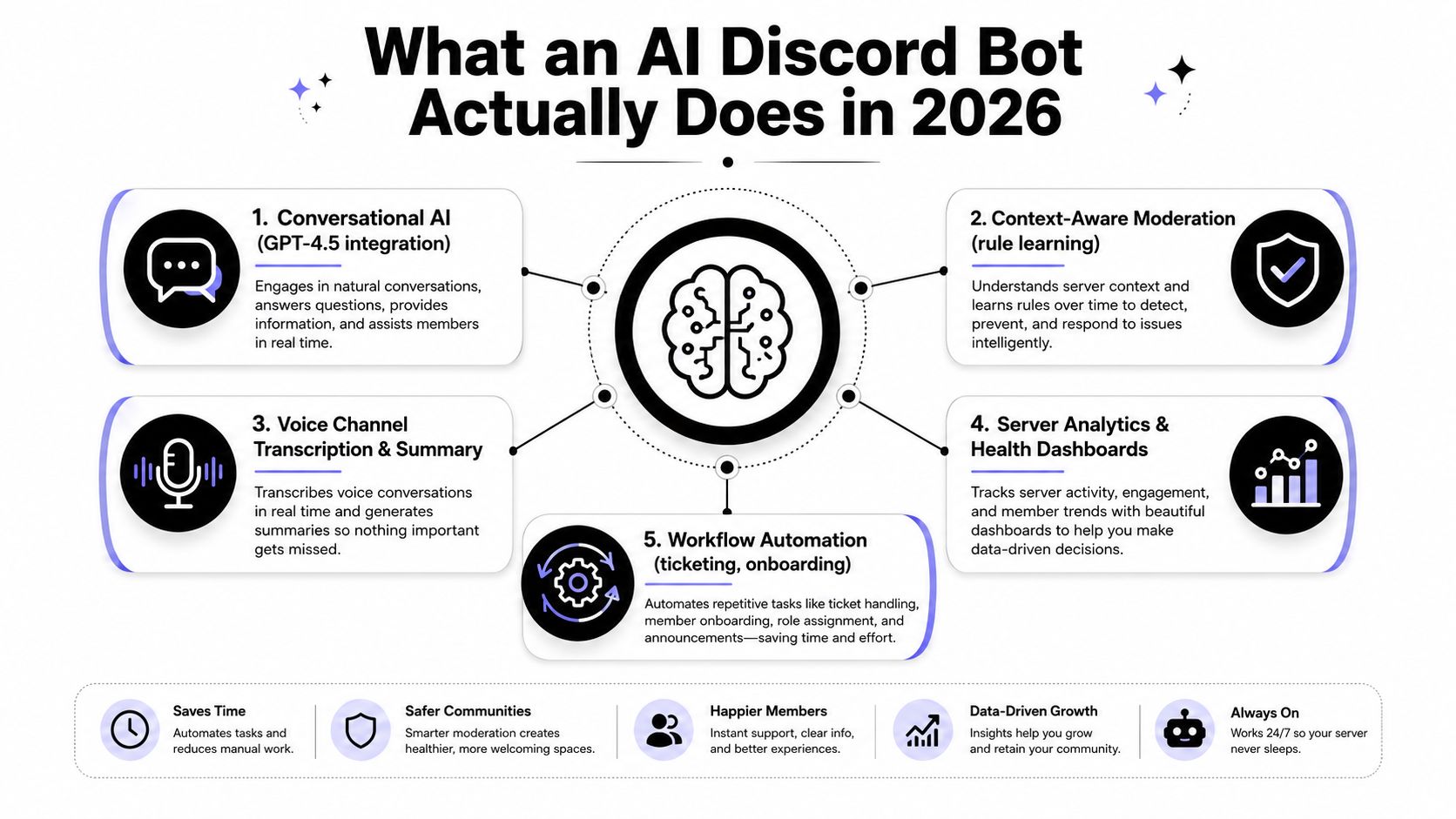
The category is broader than chat. In 2026, AI Discord bots are operating as moderation agents, conversational assistants, voice helpers, analytics surfaces, and workflow routers under one interface. That is the point where “bot” stops meaning script and starts meaning an operational layer. The practical difference is simple, the operator is no longer stitching together one-off commands, they are defining a workload.
The clearest dividing line is moderation. The older pattern used keyword filters and reaction commands. The newer pattern uses NLP to read message context, which lets the bot separate a bad-faith attack from a sarcastic comment or a broken support request. That does not make the bot perfect, but it does move the category away from brittle rules and toward context-aware action, which is why moderation, support triage, and community analytics now sit in the same stack, as noted in PeakBot's trend coverage.
Name the job before you choose the tool
The fastest way to waste time is to ask for “an AI bot” without defining what it owns. A better brief is one of these:
- Frontline support: answer FAQ questions, draft replies, and route hard cases to humans.
- Community moderation: flag tone shifts, surface risky threads, and escalate sensitive messages.
- Knowledge access: pull from docs, databases, or ticketing systems when users ask for help.
- Ops automation: create tickets, notify teams, and update workflow tools from inside Discord.
Discord's scale supports all of those patterns because the environment is large enough to absorb specialized bots across gaming, community, and support use cases, according to the user and bot data from Resourcera. What fails in practice is pretending one bot should do everything for every audience in the same way. The prompt gets bloated, the permissions get sloppy, and the outputs become inconsistent.
The moment a bot can touch support or moderation, it needs a job description, not just a personality.
That job description should include its boundaries. Does it answer from a knowledge base or from live tools? Does it ever write back into public channels, or only draft? Does it summarize voice chats, or only tag action items? Once those decisions are explicit, the rest of the stack is easier to configure because the agent's scope is real instead of imagined.
A useful deployment pattern is to separate what the bot can see from what it can do. A bot that reads public channels but only writes into one review queue is easier to trust than a bot with broad edit permissions. The same logic applies across multiple instances. Personal, client, and enterprise bots should not share the same policy surface unless the governance model is already mature.
The operational job also shifts with the interface. A moderation bot needs fast classification and clear escalation paths. A knowledge bot needs retrieval quality and citation discipline. A workflow bot needs reliable tool calls and idempotent actions so one noisy user does not create duplicate tickets. That is why platforms like Donely's integration setup matter at the channel layer before anyone starts tuning prompts or tools.
Setting Up Your Discord Bot the Right Way
Start by creating the bot inside your platform dashboard, then connect Discord through OAuth so the bot lands in the correct server with the correct scopes. In a unified platform like Donely's integration setup, the practical goal is simple, get the channel live cleanly before you touch prompts or tools. If the bot can't connect cleanly, everything downstream gets harder to debug.
The first choice that matters is scope. Enable only the gateway intents you need, because every extra permission expands the blast radius if something goes wrong. If the bot only needs slash commands, keep it there. If it needs to read non-command messages, enable Message Content Intent only for that use case, not because it feels convenient.
The setup checklist that saves hours later
A clean setup usually includes the following checks before any agent configuration starts:
- Invite the right application: confirm the bot is installed in the target server, not just created in the developer portal.
- Keep permissions narrow: limit access to the channels where the bot should operate.
- Rotate tokens properly: don't embed credentials in code or share them in chat logs.
- Verify role mapping: check that the bot can speak, read history, and do only the actions it needs.
Discord bots fail in boring ways. They show up in the server but can't see the channel. They can answer slash commands but not thread replies. They're technically connected, but the permissions were granted at the wrong level and the operator spends an hour chasing a non-bug. The fix is to treat setup as a controlled deployment, not a quick invite.
Token handling deserves special care. Keep secrets out of source control and rotate them when you change environments. If you are managing separate personal and client workloads, that discipline is essential because a sloppy token flow is how isolated bots end up feeling connected when they shouldn't.
By the time the bot is visible in Discord and scoped to the right channels, you should be able to answer one question with confidence: what can this bot touch? If that answer is fuzzy, stop and tighten the setup before you move on to the agent layer.
Configuring the Agent That Powers the Bot
A Discord connection by itself does almost nothing. The useful work starts when you define the agent's system prompt, its knowledge base, and its tool integrations so the bot behaves like a specialist instead of a generic text box. In a platform with a broad integration catalog, the difference is whether the bot can retrieve live context or just hallucinate around it.
The system prompt should read like an operating charter. State what the bot is allowed to do, what it must refuse, when it should ask clarifying questions, and when it should escalate. Then attach the knowledge sources that should ground its answers. If you're wiring this into Hermes agent workflows, the value is not the label, it's the ability to keep the agent's behavior consistent across connected channels.
Build for action, not just conversation
The strongest setup is one where the agent can reach into real tools and come back with a useful artifact. Donely's catalog includes 850+ integrations, which makes it possible to connect systems like Gmail, Slack, Notion, HubSpot, Salesforce, Jira, Zendesk, and Stripe without building each bridge by hand. That matters because most Discord questions aren't really chat questions. They're hidden workflow requests.
A support bot is a good example. A user writes in Discord that a customer is waiting on a reply. The agent checks HubSpot for the ticket, drafts an answer based on the customer's history, and posts the draft back into the thread for review. The user stays in Discord, the context stays visible, and the agent does actual work instead of merely acknowledging that work exists.
That pattern becomes much more useful when the bot can reason over a knowledge base and then call the right tool only when needed. A good prompt tells it when to search docs, when to look up a CRM record, and when to stop and wait for a human. Without that control, connected tools just create more ways to act incorrectly.
Operational insight: if the bot can take a visible action, make the prompt say when not to take it.
The payoff is in consistency. A support agent with a precise prompt, attached knowledge sources, and live integrations feels stable across channels because it has the same job every time it wakes up. It's not “chatting.” It's executing bounded work in a known context.
Running Multiple Bots With Multi-Instance and RBAC
The moment you support more than one client, a single bot per server stops being a workable operating model. You need a control plane that keeps personal, agency, client, and internal workloads separated while still letting one team operate them from one place. That is what the multi-instance model gives you. Each instance gets its own Discord bot, prompt, data, and billing line, so one workload does not spill into another.
A practical agency setup usually looks like this. One instance runs the agency's internal operations. Another runs inside a client's support community. A third stays tied to a founder's private workspace. The same operator can manage all three without reusing tokens, prompts, or access paths. If you want a hosted reference for that shape, Hermes hosting for multi-instance agents shows how isolated deployments are organized in practice.
The hard part is not creating more bots. The hard part is keeping ownership, access, and context straight once those bots start serving different audiences.
RBAC is what keeps the structure honest
Per-instance RBAC matters because the people who can manage one bot should not automatically see or change another. A teammate may need admin rights on the agency instance, but no visibility into a founder's personal bot. That is not an abstract policy choice, it is the difference between a clean handoff and someone opening the wrong thread history or editing a prompt for the wrong audience.
The architecture principle is simple, isolation by default. Scoped data access keeps client information inside the right boundary. Separate prompts keep tone and policy specific to each workload. Unified logs let operators review actions without collapsing every tenant into one noisy stream. That is the pattern that keeps one account from turning into one confused shared environment.
| Instance | Discord Bot Role | RBAC Scope | Billing |
|---|---|---|---|
| Personal | Private assistant, experiments, side projects | Owner only or narrowly shared | Separate line item |
| Client | Customer support, community ops, workflow automation | Client team and assigned operators | Separate line item |
| Internal | Company knowledge, moderation, internal routing | Internal staff by role | Separate line item |
| Agency | Multi-client orchestration and oversight | Agency admins plus per-client delegates | Separate line item |
The operational win is fewer migrations
Multi-instance design removes the need to rebuild access control every time a new client arrives. The agent blueprint can stay largely the same, but the data, permissions, and billing remain separate. That is the piece most single-server guides skip, and it is the difference between a bot you can demo and a bot you can run as a service.
SpecStory's agent management approach at withstoa.com/blog/agent-management-system reflects the same operating idea, keep the agent lifecycle manageable by separating control concerns from the work itself.
If the access model takes more than a minute to explain, it is probably too loose.
For operators, the payoff is less friction during scale-out. Adding another server should not mean inventing a new trust model. It should mean creating one more isolated instance with the right RBAC and keeping the control plane clean.
Monitoring, Latency, and Human Oversight
An AI Discord bot is a live service, which means dashboards matter as much as prompts. Centralized logs tell you what the bot tried to do, usage views show which instances are active, and status panels surface whether a problem is local to one server or systemic. If you're running multiple isolated bots, the ability to read those signals from one control plane saves time and avoids guesswork.
Latency needs its own budget. Discord slash commands expect an initial response within about 3 seconds, so the safe pattern is to defer the reply first and edit it after the model finishes. In one implementation guide, model calls commonly take 2 to 5 seconds, which is exactly why deferral keeps you from timing out interactions, and why an 800 to 1000 token output cap helps reduce both latency and message-splitting overhead, according to this Discord AI bot implementation guide. The mechanics are boring, but the difference between a stable bot and a flaky one often comes down to those mechanics.
Keep a human in the loop where it matters
The oversight gap is real. Many guides tell you to keep moderators around, but they don't explain when the bot should hand off. Scout's guidance is blunt, bots are rarely perfect, and moderators should remain available for sensitive questions or nuanced reports, as noted in Scout's community bot guidance. That's the right posture for channels where a wrong answer is worse than a slower answer.
A practical runbook looks like this:
- Defer immediately: acknowledge the slash command, then finish the work asynchronously.
- Watch the thread: if the bot encounters a sensitive policy question, route it to a human.
- Limit output size: keep responses short enough to stay readable in Discord.
- Review logs daily: look for repeated timeouts, permission failures, and bad tool calls.
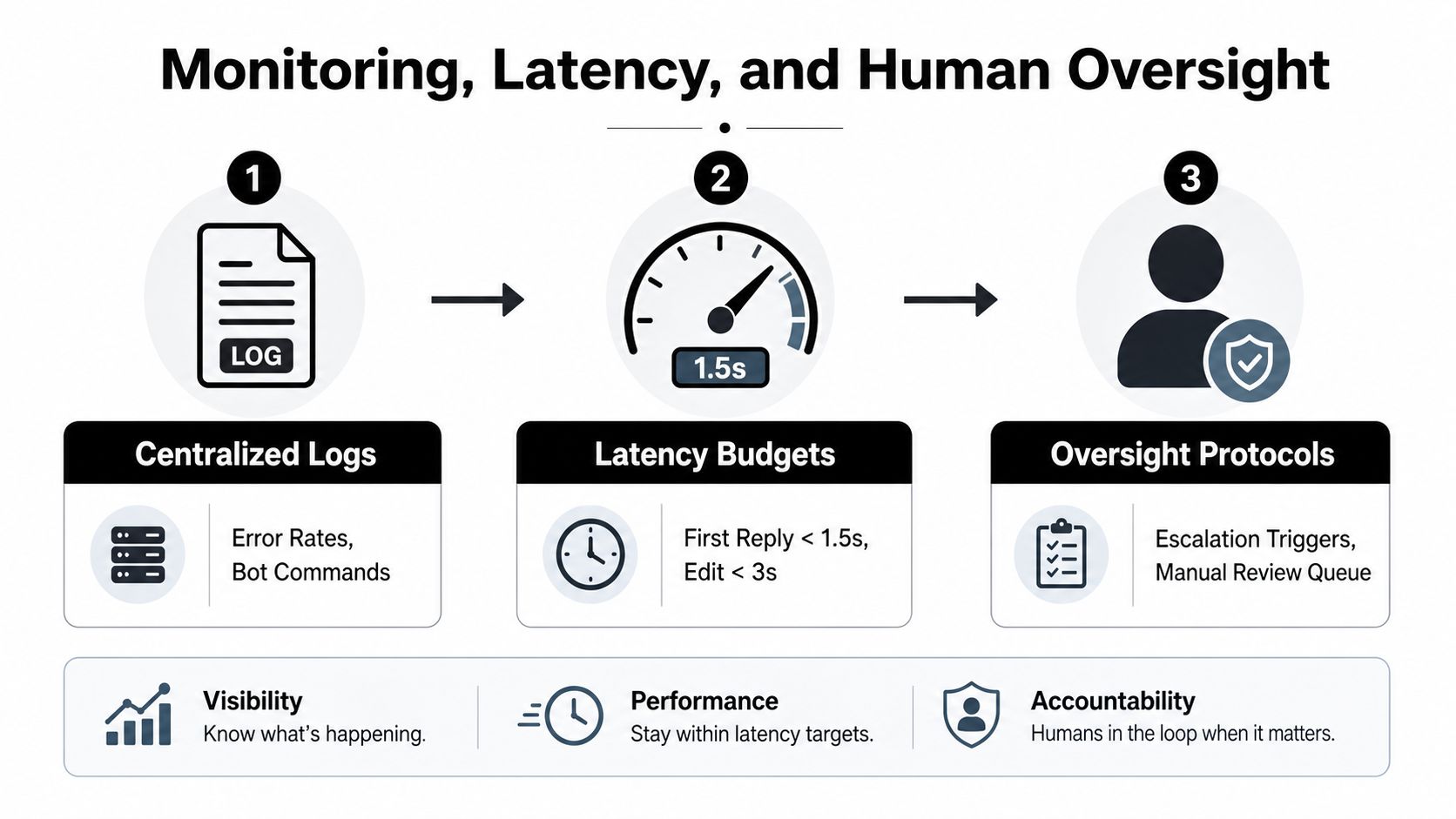
Monitoring and oversight belong together because speed without judgment is just a faster mistake. A bot that answers quickly but confidently in the wrong channel is worse than a slower one that hands off cleanly. The safest setup is one where logs, latency, and escalation policy are designed as a single operating model.
Troubleshooting and Scaling the AI Discord Bot
Prompt injection is the first problem that shows up in shared servers. A user pastes malicious instructions, the bot treats them like real context, and suddenly it's following the wrong priority. The response is to tighten prompt sanitization, reject URLs and file attachments in prompts where you don't need them, and keep allowlists around the inputs the agent can trust.
Context drift is the second failure mode. Long threads make the bot wander, repeat itself, or forget the actual question. The fix is to enforce shorter memory windows, summarize threads before the agent reasons over them, and cut off stale context instead of letting it accumulate.
A bot that remembers everything often remembers the wrong thing.
Runaway conversations are the cost problem. If the bot keeps expanding its replies, tool calls, or history windows, costs and latency both climb. The safe response is to cap conversation length, set hard inference timeouts, and escalate when the thread stops being a clean automation use case.
If the bot starts hallucinating in a customer-facing channel, treat it like a live incident. Rotate the token, pause the affected instance, and have a moderator correct the thread before more users rely on the output. Once the basic guardrails are stable, scaling is mostly a matter of turning on stronger governance features like Team or Enterprise controls, then adding SSO and audit logs as more clients come on board.
For teams that outgrow a single server, the next step is not rebuilding the bot. It's stacking more isolated instances, tightening access, and keeping the same operational rules as the footprint grows. That's the point where the control plane earns its keep.
If you're ready to turn a fragile Discord bot into something you can run across personal, client, and internal workloads, start by mapping one instance, one prompt, and one permission boundary. Then deploy the next one only after the first is observable and safe. A CTA for Donely.