
Your AI support agent just asked the same customer for their order number for the third time. Your internal ops bot forgot which Slack channel it already posted to. A sales assistant drafted follow-up emails, then lost the deal context after a restart. None of these failures look dramatic in a dashboard. To the customer, though, they feel sloppy. To the founder paying for the system, they signal that the “AI employee” isn't really an employee yet.
That gap usually comes down to one thing: data persistence. If an AI can't keep the right information across sessions, tasks, and restarts, it behaves like a new hire with no notebook, no CRM, and no memory of yesterday. For agencies and multi-client teams, the problem gets harder. You don't just need memory. You need separate memories, with hard boundaries between clients, workloads, and permissions.
The awkward part is that most advice still assumes a single agent serving a single user. That leaves a practical gap for founders, agencies, and operators who need dozens of isolated AI workers under one roof.
Table of Contents
- Why Your AI Employee Has Amnesia
- Understanding AI Memory Ephemeral vs Persistent
- Choosing the Right Persistence Model for Your AI
- Securing Your AIs Memory and Ensuring Compliance
- Architectural Patterns for Multi-Instance AI Fleets
- Putting It All Together Practical Scenarios
Why Your AI Employee Has Amnesia
A lot of AI failures aren't model failures. They're memory failures.
A support agent can produce polished text, classify tickets, and summarize a thread. But if it forgets the user's plan, prior complaint, or refund status every time a process restarts, the experience collapses. The AI sounds capable for one message, then clueless in the next.
That gets more dangerous in a multi-client setup. An agency might run one AI employee for Client A's lead handling, another for Client B's support triage, and a third for internal delivery workflows. If those memories aren't cleanly separated, one bad retrieval can expose the wrong notes, files, or history to the wrong party.
Practical rule: If an AI handles work that spans more than one interaction, it needs persistent state. If it handles work for more than one client, it also needs isolation.
The difficulty for many teams often arises from a documented gap in practical guidance for non-DevOps teams that need absolute data isolation across many client AI instances, especially where a leak between clients would be a catastrophic business risk, as noted in Cognee's guide on persistent memory layers for AI agents.
The fix isn't “give the model a longer prompt.” Prompt context helps in the moment. It doesn't replace stored state, durable records, or scoped access. Long prompts are like stuffing papers into someone's hands before a meeting. Persistence is giving them a filing system they can return to tomorrow.
If you're still designing agents at the workflow level, this is why resources on AI agent development for SaaS developers are useful. They help you think beyond the chat box and into the actual runtime behavior of an agent. Once the agent moves from demo to production, memory design becomes infrastructure design.
For teams deploying AI workers across separate business functions, Donely AI employees illustrates the true operational target: not one clever bot, but many durable workers with distinct boundaries.
The business cost of forgetting
Founders usually notice the symptoms before they name the root cause:
- Repeated questions: The AI asks for information it already received.
- Broken handoffs: One session can't continue the work of another.
- Unsafe context mixing: Client-specific instructions show up in the wrong workflow.
- Weak accountability: Nobody can tell what the AI knew, when it knew it, or why it acted.
An AI employee without persistence isn't automated labor. It's a temporary conversation.
Understanding AI Memory Ephemeral vs Persistent
Your AI already has memory of a sort. The problem is that much of it is temporary.
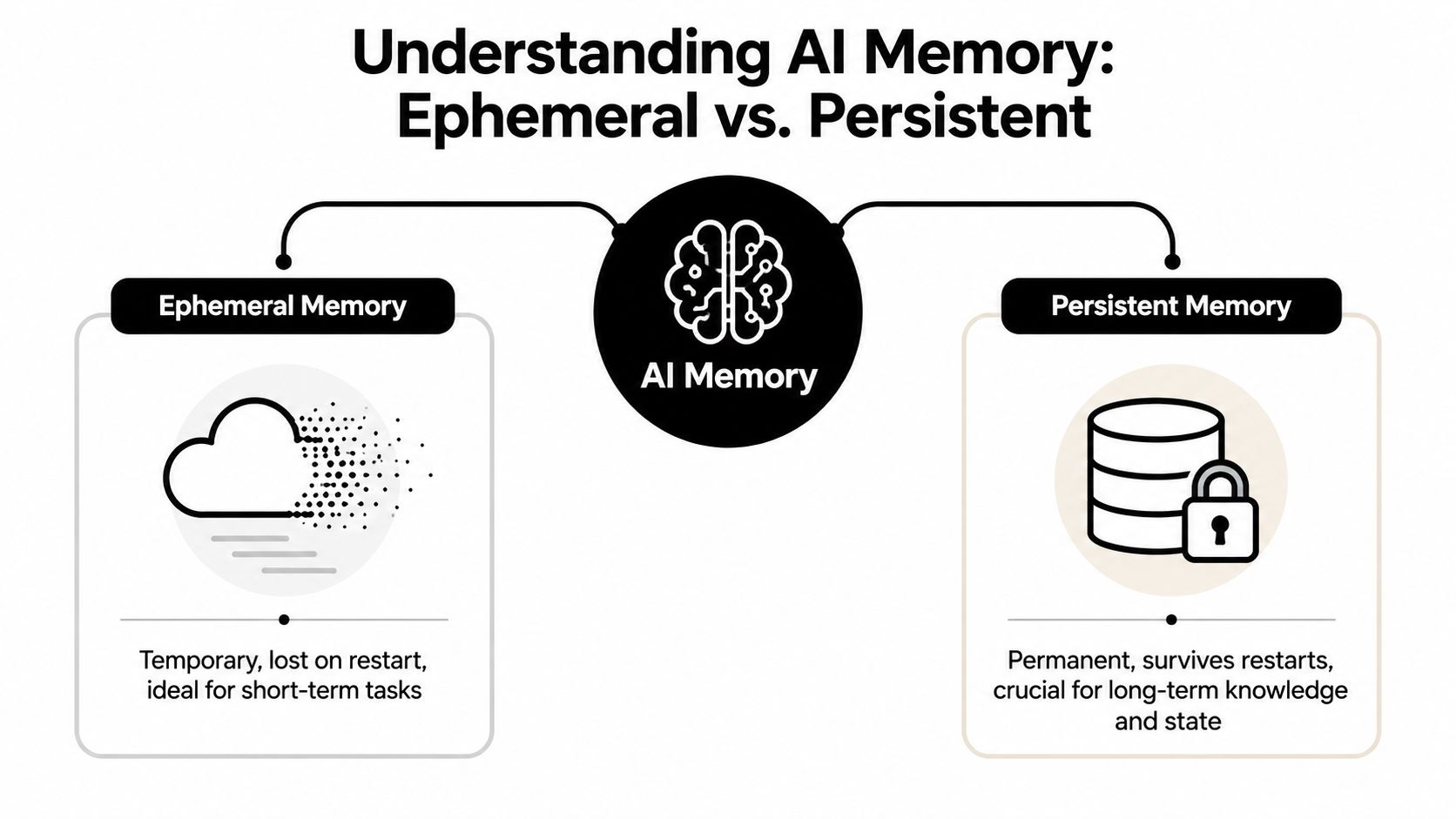
The whiteboard problem
Think of ephemeral memory as a whiteboard in a meeting room. You can sketch, calculate, list tasks, and reason through a problem. It's useful while the meeting is happening. Then someone wipes the board.
That's how volatile memory behaves in software systems. RAM is fast, which makes it ideal for active processing, but it loses stored data immediately when power is removed. Persistent storage requires non-volatile media such as SSDs, flash memory, and hard disks, as explained in RudderStack's overview of persistent data.
For an AI agent, ephemeral memory is enough for things like:
- Current turn reasoning: Working through the immediate user request.
- Temporary tool outputs: Holding the result of a search or API call just long enough to use it.
- Short-lived execution state: Tracking what step the workflow is currently on.
That's useful, but it's not enough for an employee role. If the process restarts, the machine scales down, or the session times out, the whiteboard is gone.
The notebook that survives restarts
Persistent memory is the notebook. You write something down, close it, and come back later. The information is still there.
For AI systems, that can include customer profiles, prior interactions, task status, uploaded files, tool results worth keeping, and workflow checkpoints. Persistence means the same data can be retrieved after a restart, so the agent can continue instead of starting over.
Persistent memory is what makes an AI feel continuous instead of conversational.
That continuity matters most when the AI acts asynchronously. If an agent receives an email, checks HubSpot, updates a Jira ticket, and follows up later, it can't rely on live session context alone. It needs stored state that survives process boundaries.
A good mental model is this:
- Use ephemeral memory for thinking.
- Use persistent memory for remembering.
- Use scoped access so one AI only remembers what it should.
The distinction becomes easier to see in motion. This short video gives a helpful visual explanation:
Where readers usually get confused
Many founders hear “memory” and assume one storage system should hold everything. That usually creates friction later.
A cleaner split looks like this:
- Session context: What the AI needs right now.
- Operational state: What the AI must resume later.
- Long-term knowledge: What the AI should retrieve when relevant.
Those are different jobs. They can sit on different storage layers. When teams blur them together, agents become expensive, noisy, and harder to govern.
Choosing the Right Persistence Model for Your AI
Not all AI memory belongs in the same place. That's where many early implementations go wrong. Teams throw chat logs, PDFs, embeddings, user records, and workflow state into one storage system and then wonder why retrieval is messy and governance gets painful.
The better approach is boring and reliable. Match the storage model to the shape of the data.
Three storage models that solve different problems
A relational database is your filing cabinet. It works well when the information is structured and the relationships matter. User accounts, ticket status, permissions, execution history, and billing records fit here.
An object store is a secure storage unit. It holds the bulky assets that don't fit neatly into rows and columns. Think PDFs, screenshots, call recordings, exported reports, and attachments your AI may need to process or reference.
A vector store is closer to a conceptual catalog. It helps the AI retrieve information by meaning, similarity, or context rather than exact field matches. That makes it useful for semantic search across documents, prior conversations, and internal knowledge.
If you're building retrieval-heavy workflows, an AI engineers' guide to LLM knowledge bases is a practical companion to this decision. It helps frame where semantic retrieval fits and where it doesn't.
AI Persistence Model Comparison
| Model | Analogy | Best For | Example Use Case |
|---|---|---|---|
| Relational database | Filing cabinet | Structured records and transactional state | Customer profile, ticket status, role permissions |
| Object store | Secure storage unit | Files and unstructured assets | Proposal PDFs, call transcripts, image uploads |
| Vector store | Conceptual catalog | Meaning-based retrieval | Finding relevant policy text from a large document set |
How founders usually choose badly
The most common mistake is treating the vector store as the whole memory system. It isn't.
A vector store can help an AI recall relevant content, but it isn't the best system for transactional truth. You don't want role assignments, workflow checkpoints, or invoice states to depend on semantic similarity search. Those need deterministic storage.
Another mistake is keeping everything in a relational database and trying to force meaning-based retrieval on top of keyword search. That works until your AI needs to find the right paragraph from a long policy document or the most relevant answer from years of support notes.
Use relational storage for facts, object storage for artifacts, and vector retrieval for relevance.
There's also a deeper point that gets skipped in software-only discussions. Data persistence is a physical constraint, not just an abstraction. For archival standards, many professionals target a minimum storage life of 100 years, and media durability varies sharply. CD-ROMs are cited with a mean life expectancy of 1,592 years in Rivery's discussion of data persistence and media longevity. Most AI workloads won't archive customer chats for a century, but the principle matters. Your retention strategy depends on where the bits live.
That matters in business settings for two reasons:
- Compliance policy: You need to know what should persist briefly, what should persist for business continuity, and what should move into formal archival storage.
- System cost: Expensive, always-hot storage shouldn't become the default graveyard for every old intermediate artifact.
For teams organizing institutional knowledge around AI workers, a company brain setup is usually strongest when these storage roles are separated instead of merged into one “memory bucket.”
Securing Your AIs Memory and Ensuring Compliance
An AI employee's memory is rarely harmless. It often contains customer details, sales notes, support transcripts, internal instructions, access scopes, and decision history. Once that memory persists, it becomes part of your security surface.
Security problems here don't usually start with dramatic attacks. They start with loose access, broad retrieval, weak tenant boundaries, and no cleanup policy.
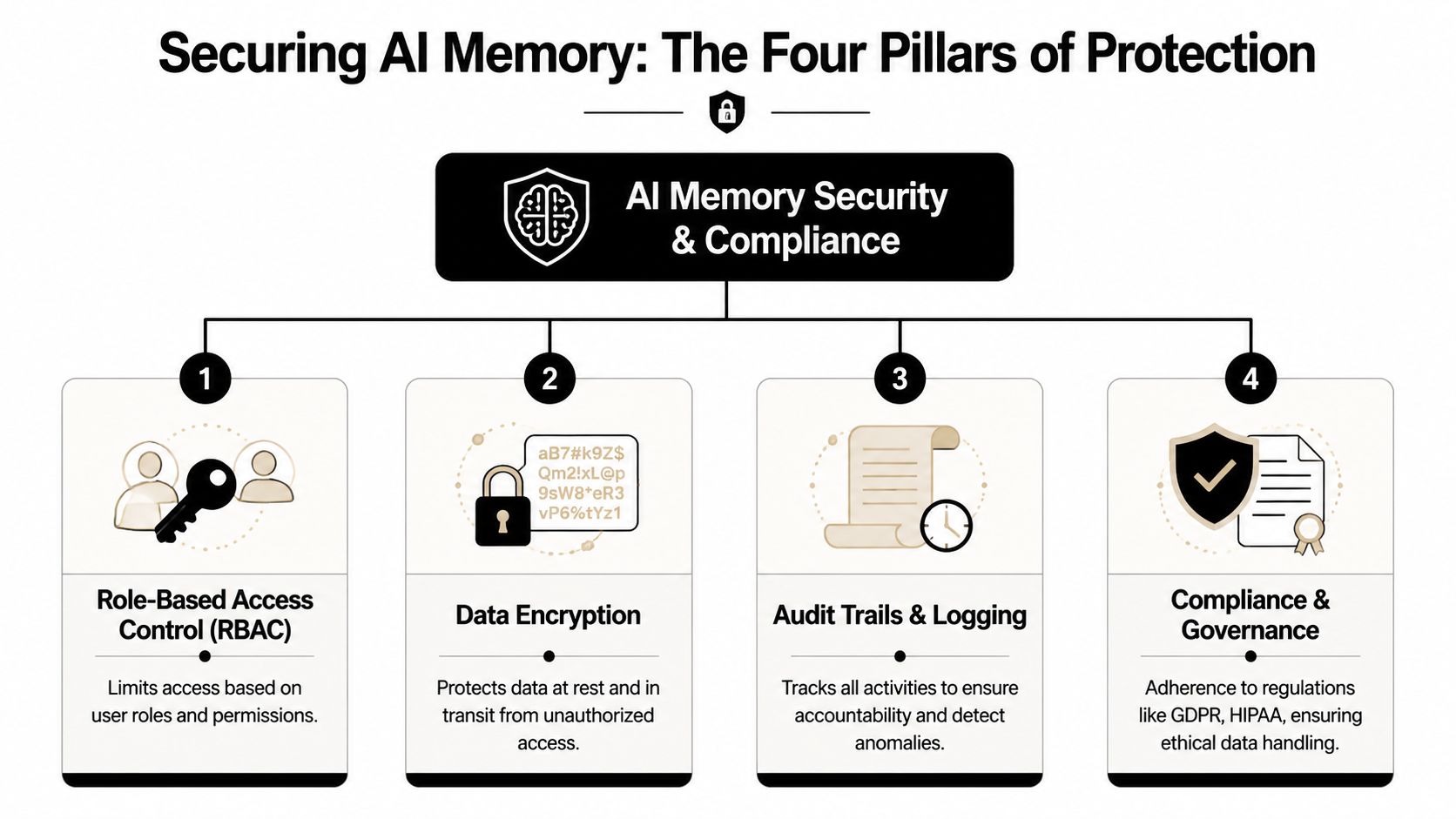
Four controls that matter in practice
RBAC comes first. Not every user should see every memory, and not every agent should inherit every tool permission. If your support AI can access finance records because “it might need context,” you don't have context. You have overexposure.
Encryption protects the stored and moving copy. At-rest encryption helps if storage is exposed. In-transit encryption helps when data moves between services, tools, and users. Encryption doesn't replace good boundaries, but it reduces the blast radius when something goes wrong.
A third control is isolation. In a multi-client environment, this is the difference between inconvenience and breach. Separate runtime contexts, scoped storage, and per-instance data boundaries matter because one retrieval bug should not cross tenants.
Then there are audit logs. If the AI updated a CRM record, surfaced a note, or accessed a file, your team needs a trace. Without that, debugging becomes guesswork and compliance reviews become painful. For teams reviewing operational logging requirements, HIPAA and PCI log compliance is useful background for how centralized logging supports accountability.
Here's the practical checklist I'd use:
- For people access: Limit visibility by role, workspace, and instance.
- For agent access: Scope tool permissions to the minimum data each agent needs.
- For storage access: Separate operational databases from broad shared stores.
- For oversight: Keep searchable logs of access, actions, and policy-relevant events.
A secure AI memory system doesn't just store data. It proves who could access it, who did access it, and when that access should expire.
Why memory decay belongs in your security model
Many teams think only about how to accumulate memory. That's incomplete.
There's a documented blind spot in practical guidance around memory decay. Most material emphasizes retention, while practical guidance on automatically purging low-value context is rare, even though it's important for scaling many AI instances without storage bloat or degraded performance, as described in Fast.io's discussion of AI agent state persistence.
Memory decay can be simple:
- Remove stale intermediate state after the workflow completes.
- Expire short-lived context that no longer improves future decisions.
- Keep durable records only where there's business, legal, or operational value.
- Review retrieval stores so outdated material doesn't outrank current truth.
This is partly a performance issue. It's also a compliance issue. If your AI retains obsolete customer context forever, you increase the amount of sensitive material that could surface later.
Teams evaluating operational controls can map these ideas against Donely's security policy to see how isolation, RBAC, and auditability fit together at the platform level.
Architectural Patterns for Multi-Instance AI Fleets
Single-agent examples hide the problem that agencies and enterprises face. One bot for one user is simple. A fleet of AI employees serving different clients, departments, or business entities is not.
The central design question is straightforward: where do the data boundaries live?
The risky shortcut of shared persistence
The tempting architecture is a shared database with tenant IDs sprinkled through the tables. It's familiar, fast to launch, and often acceptable for low-risk SaaS patterns.
It's also easy to get wrong with AI systems.
An AI doesn't just query one neat table. It may search documents, fetch prior tasks, read tool outputs, pull embeddings, and combine context from several stores. Every retrieval path becomes another place where tenant scoping can fail. One sloppy query, one indexing mistake, or one permissive integration can let the wrong memory cross the wrong boundary.
That's why shared persistence feels fine in a diagram and stressful in production.
In multi-client AI, “logically separated” often means “one bug away from exposure.”
The pattern that creates clean boundaries
A stronger pattern comes from microservices: database-per-service isolation. In that model, each service owns its own data store, and data is accessed through APIs rather than direct cross-service database access. That prevents cross-service coupling and means changes to one service's database don't automatically affect others, according to AWS Prescriptive Guidance on modernization and data persistence.
The same logic applies cleanly to AI fleets.
Instead of one giant memory layer for all agents, give each AI instance its own scoped persistence boundary. That boundary can include its own state store, file scope, retrieval scope, permissions, and logs. The result is simpler reasoning:
- Client A's AI can't accidentally retrieve Client B's files.
- Your internal ops AI can't wander into a customer support memory space.
- Schema or workflow changes in one instance don't ripple across the rest.
That's not just a technical preference. It changes your operating risk.
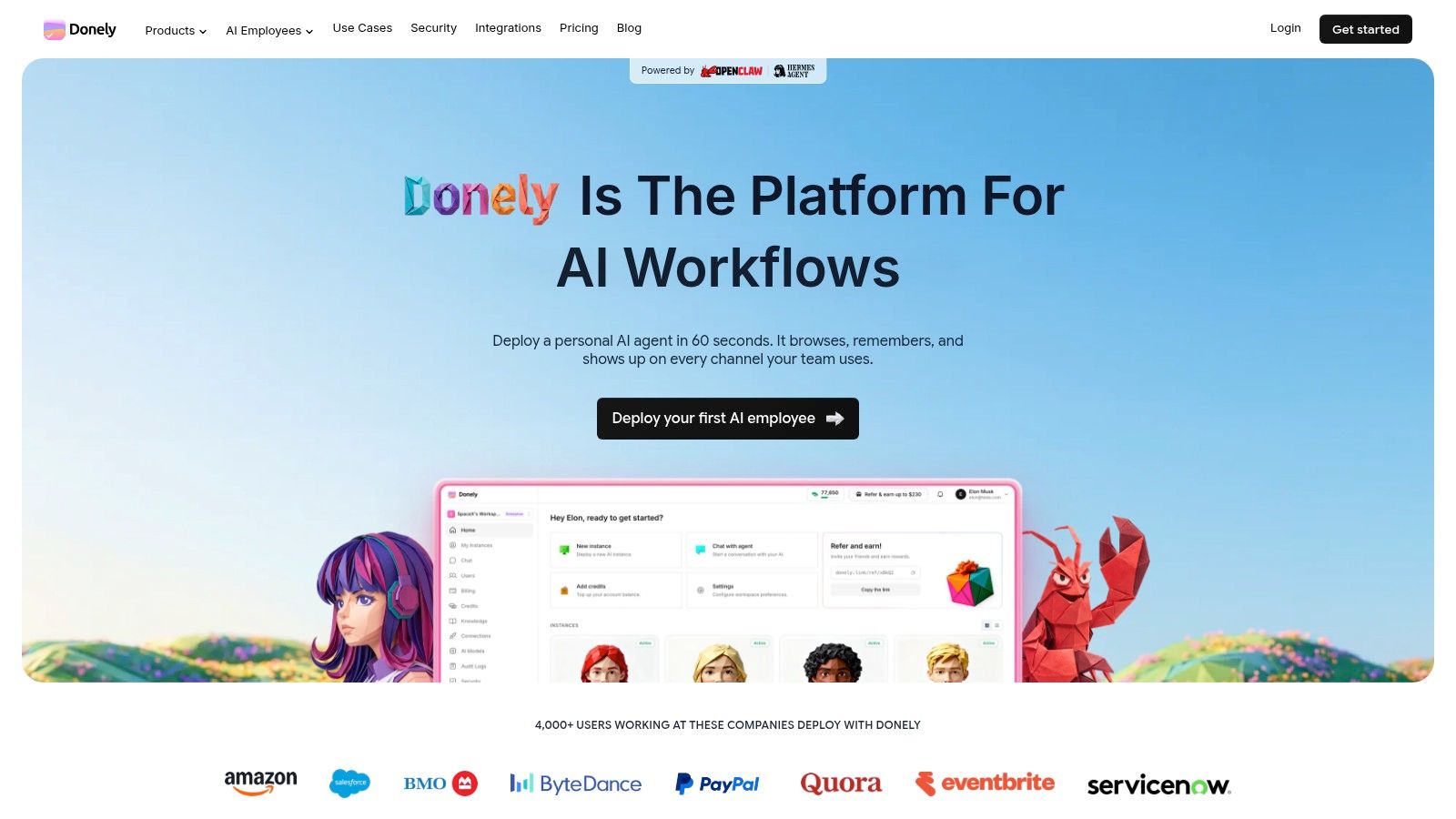
One platform example is Donely, which provides separate AI instances with isolated containers, scoped data access, per-instance RBAC, unified audit logs, and integrations to tools like Gmail, Slack, Notion, HubSpot, Salesforce, Jira, Zendesk, and Stripe. For founders and agencies, that matters because the architecture supports separate personal, business, and client workloads without requiring custom infrastructure.
What this means for agencies
Agencies usually need four things at once:
| Need | Why it matters |
|---|---|
| Client isolation | Prevents cross-client memory leaks |
| Separate integrations | Keeps one client's Slack, CRM, or inbox out of another's workflows |
| Independent lifecycle control | Lets you pause, archive, or change one instance without affecting others |
| Central oversight | Keeps logs, billing, and status visible across the fleet |
A shared-bucket design struggles to do all four cleanly. Isolated-instance design handles them more naturally because the architecture mirrors the business reality.
Putting It All Together Practical Scenarios
Agency operations
An agency running AI employees for ten clients shouldn't rely on one pooled memory system with tenant filters layered on top. A cleaner setup gives each client its own instance, its own integrations, and its own persistent state. That way, a support workflow for a healthcare client and a lead-routing workflow for an ecommerce client don't share storage assumptions, retrieval indexes, or access paths.
The business upside is less drama during onboarding and offboarding. When a client relationship changes, the agency can adjust one bounded environment instead of unpicking shared infrastructure.
Founder mode and company mode
Solo founders often need two kinds of AI worker. One handles personal productivity, scattered notes, and inbox triage. The other touches business systems like CRM records, internal documentation, support requests, and team workflows.
Those shouldn't share memory casually. Personal reminders, draft thoughts, and private files don't belong in company operations. Separating those instances gives you a cleaner security story and avoids accidental context bleed between your own roles.
The first useful boundary is often not between companies. It's between the hats one person wears.
Developer extension without platform sprawl
A developer may want to extend an OpenClaw-based agent with long-term semantic retrieval for product docs while keeping deterministic workflow state in a relational store. That's a good example of mixed persistence done right.
The AI doesn't need one magical memory. It needs a small system of memories. One layer stores state, another holds files, another retrieves meaning. When those layers are isolated per instance, the team gets continuity without giving up control.
If you're building AI employees that need to remember, resume work, and stay inside strict client boundaries, Donely gives you a practical path: separate instances, persistent isolated environments, per-instance RBAC, unified logs, and no custom DevOps required to move from one agent to many.